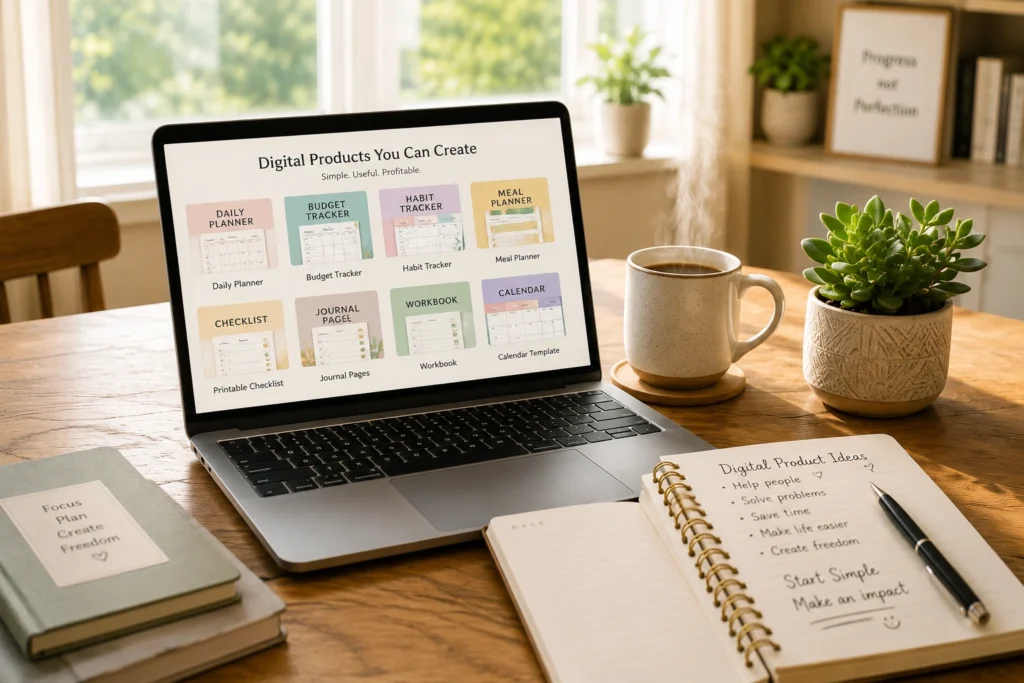
The Ultimate Guide to Digital Products for Beginners: What to Create and Sell Online
Starting an online business can feel like trying to climb a mountain in a storm. If you are looking for a way to create an extra stream of income, you have likely run into a wall of complicated tech talk, expensive startup costs, and overwhelming choices. It is easy to feel like you are already too late or that you simply don’t have the “right” tech skills to succeed.
But here is the good news: you do not need to be a computer programmer or a professional graphic designer to build a successful online business. By focusing on digital products for beginners, you can start a simple, low-stress business right from your kitchen table. This guide will walk you through exactly what digital products are, why they are perfect for beginners, and how to choose your very first idea with confidence.
What Exactly is a Digital Product? (A Plain English Explanation)
Let’s strip away the confusing jargon. A digital product is simply an electronic file that you create once on your computer and sell online.
Unlike a physical business—where you might make handmade ceramic mugs, package them in boxes, and mail them out—a digital product requires no physical inventory and no shipping. It exists entirely on the internet as a downloadable file.
When a customer visits your online shop and buys your product, they receive a download link in their email inbox just seconds later. They can immediately open, print, or use the file on their phone, tablet, or computer. Because the delivery is entirely automated, your store can safely run and make sales even while you are fast asleep.
If you’re wondering how to turn an idea into something you can actually sell, our guide on How to Create a Digital Product walks you through the entire process step by step.
Why Digital Products are the Perfect Business Model for Beginners
If you are looking for an easy, rewarding side hustle, digital products stand out from almost every other business model. Here is why they are so uniquely suited for beginners:
Incredibly Low Startup Costs: You do not need to buy expensive inventory, rent a warehouse, or pay for shipping labels. You can easily design and build your very first digital product using free online tools.
Zero Inventory Stress: With physical items, if you sell out, you have to make more. If you don’t sell them, you lose money. With digital products, you create the file just once, and you can sell it ten times, a hundred times, or ten thousand times without ever running out.
Freedom of Location: There is no retail shop to manage. You can spend thirty minutes an evening or a few hours on the weekend building your product from the comfort of home, working entirely at your own pace.
No Technical Degree Required: You do not need to know how to write computer code or possess an art degree. Modern, beginner-friendly design software does the heavy lifting for you, allowing you to focus purely on sharing helpful information.
Now that you understand why digital products are such a beginner-friendly business model, the next step is choosing the right one for your goals. Our guide How to Choose a Digital Product Niche for Beginners (Without Overwhelm) will help you narrow your options and choose with confidence.
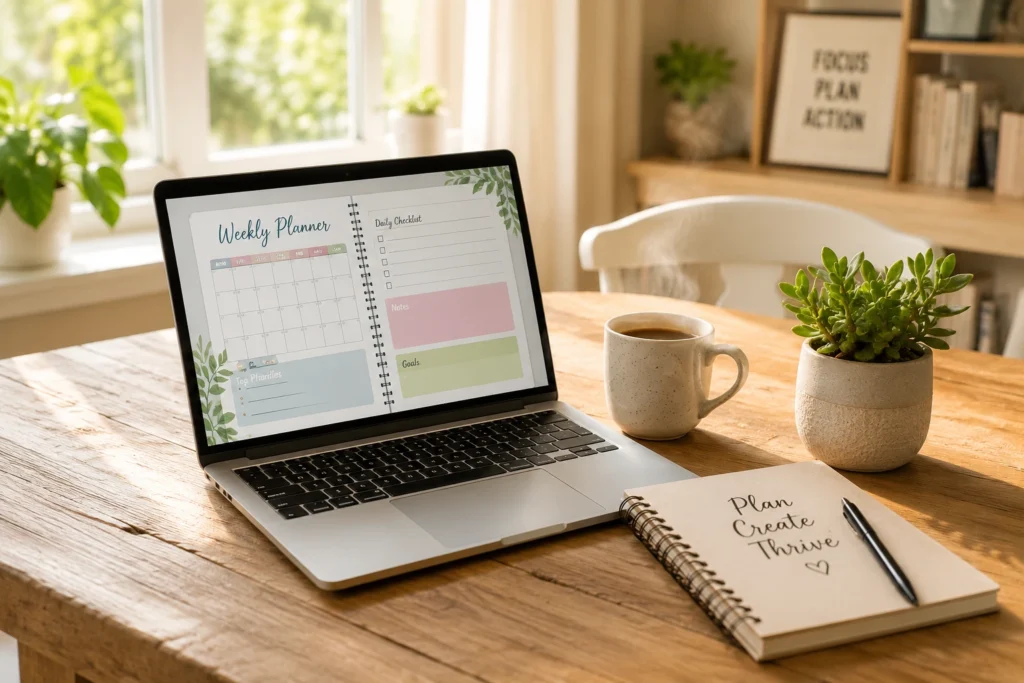
The Easiest Digital Products for Beginners to Create
You might be wondering, “What could I actually make that someone would want to buy?” The key is to start small and keep things incredibly simple. Here are four of the absolute best, low-stress formats to start with.
1. Simple Printable Checklists and Trackers
A checklist is one of the most popular and easy digital products to sell because it solves a very specific, immediate problem. People love organization. You can create a daily habit tracker, a travel packing list, a weekly cleaning schedule, or a simple grocery shopping template. If it helps someone save time and stay organized, it has real value.
2. Helpful Digital Planners and Calendars
Many people prefer to organize their lives digitally on their tablets or print out monthly schedules to hang on the fridge. A simple monthly calendar, a financial budget planner, or a goal-setting worksheet is highly useful and very straightforward to put together.
3. Step-by-Step PDF Guides and Ebooks
Do you have a hobby, a recipe collection, or professional experience you can share? You do not need to write a 300-page novel. A highly focused 5-to-10-page PDF guide that teaches a beginner how to do something—like a beginner’s guide to container gardening, simple sourdough bread recipes, or basic home organization steps—makes a fantastic first product.
If you’re new to creating digital products, learn how to make digital products with Canva and AI to build professional products even if you have no design experience.
Canva Templates for Social Media or Small Businesses
Millions of busy small business owners and content creators need to post online but don’t have the time to design their graphics from scratch. By creating pre-made layout templates in Canva—where a buyer can simply click a link and swap in their own text and photos—you provide immense value to people looking to save time.
Millions of busy small business owners and content creators need to post online but don’t have the time to design their graphics from scratch. By creating pre-made layout templates in Canva—where a buyer can simply click a link and swap in their own text and photos—you provide immense value to people looking to save time. If you’d like to learn how to create and sell these types of products, read our guide on How to Sell Canva Templates for Beginners.
How to Find Your Perfect Niche Without Getting Stuck
Choice paralysis is the number one reason beginners never launch their business. They spend weeks worrying, “What if I pick the wrong topic?”
To find your niche without getting overwhelmed, look for the “sweet spot” where your personal life experiences and hobbies overlap with what everyday people actually need help with.
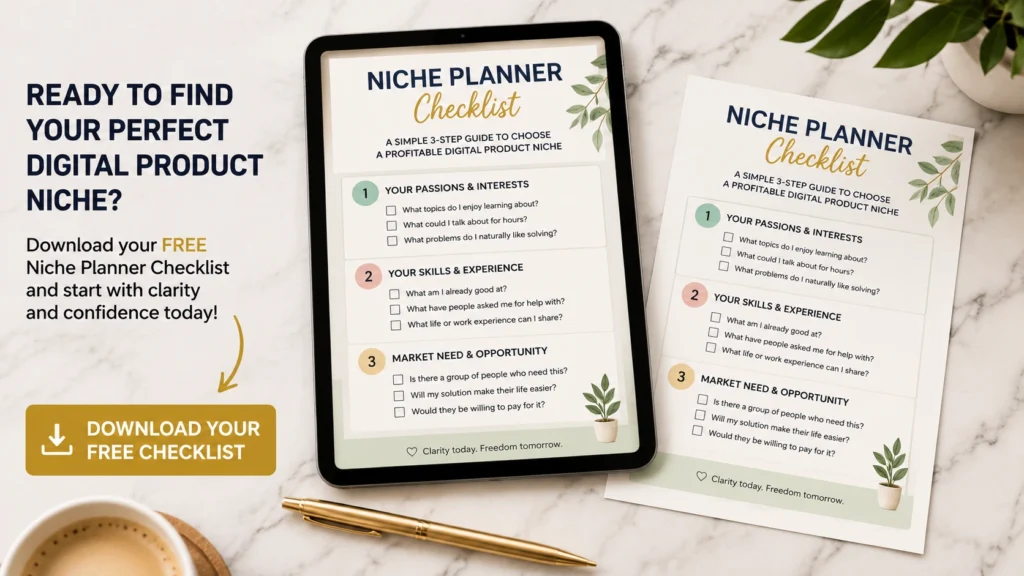
Start by taking a piece of paper and writing down three things you enjoy doing, three skills you use in your daily life or past jobs, and three things your friends or family always ask you for help with.
Once you have your list, look for ways to turn that knowledge into a simple helper tool. Remember, you do not need to target the entire world. By focusing on a small, specific group of people—like helping busy parents organize their weekly meals or helping beginners over 40 learn a new hobby—it becomes much easier to stand out and find your very first customers.
Before creating your product, learn How to Find and Validate a Digital Product Idea so you can check that people actually want the solution.

A Step-by-Step Roadmap: From Idea to Your First Sale
How do you turn a blank computer screen into extra income? Let’s break the entire journey down into a simple, manageable roadmap:
Brainstorm and Validate: Write down your product idea. Ask yourself: Does this save someone time, solve a frustrating problem, or make their life more organized?
Draft the Content: Open a basic computer document and write out the words, steps, or layout structure. Keep your writing clear, warm, and highly beginner-friendly.
Design Beautifully: Once your content is ready, you can use intuitive design tools to put it into a clean, professional format. If you want to learn exactly how to format your design, you can check out The Complete Canva Blueprint: Designing Your First Digital Product from Scratch (Link to Canva Blueprint Pillar).
Set Up Shop: When your file is saved and ready, you can list it on a beginner-friendly platform to securely collect payments and deliver the file to your customers automatically. When you’re ready to introduce your product to the world, follow our guide on How to Launch Your First Digital Product for a simple, step-by-step launch plan.
Before spending time creating your product, it helps to make sure people actually want the solution you are planning. Our Beginner Guide to Product Validation in 5 Steps shows you a simple way to test your idea before you build it.
Ready to Find Your Perfect Digital Product Idea?
Don’t let choice paralysis keep you stuck on the starting line. Download our free, beginner-friendly Niche Planner Checklist to easily brainstorm, organize, and select your winning digital product idea in less than 20 minutes—no tech experience required!
Frequently Asked Questions About Digital Products
Do I need to be a designer or a tech wizard to do this?
Absolutely not. You do not need to know how to code or have expensive design software. Many successful creators started with zero design background. Modern, free tools provide drag-and-drop layouts that let you create beautiful, professional-looking files with just a few clicks.
How much does it really cost to start?
You can start a digital product business for virtually zero dollars. You can draft your content on free document editors, design your files using a free Canva account, and utilize basic, low-cost or free storefront platforms to list your first product.
What if I don’t think I have anything to teach?
This is a very common worry, but everyone has valuable skills or life experiences. Have you successfully organized a busy household? Do you know how to plan budget-friendly road trips? Do you have a knack for simplifying daily tasks? What seems simple or obvious to you is often exactly what someone else is searching for and willing to pay to have organized for them.
Worried that you need graphic design experience before you can get started? Read Do I Need Design Skills to Sell Digital Products? to see why simple, useful designs are enough for your first product.
Your Next Step: Let’s Simplify the Journey
Starting something new always feels a bit intimidating, but the secret to success is simply taking the first small step. You do not have to figure out the entire business overnight.
Focus on just one simple idea today. As you begin to put your thoughts on paper, you will find your confidence growing. If you want to see how other everyday beginners just like you broke through their tech fears, designed their very first products, and made their very first sales, be sure to read our collection of real-world journeys in From Overwhelm to First Sale: Real Stories of Beginners Who Built Digital Product Businesses (Link to Success Stories Pillar).
You are entirely capable of doing this—one step at a time!
Ready to Find Your Perfect Digital Product Idea?
Don’t let choice paralysis keep you stuck on the starting line. Download our free, beginner-friendly Niche Planner Checklist to easily brainstorm, organize, and select your winning digital product idea in less than 20 minutes—no tech experience required. Grab your copy for free
