
You have created a planner, printable, or template. Now you face a difficult question: what should you charge for it? Learning how to price your first digital product does not mean finding one perfect number. It means choosing a reasonable starting price based on what buyers receive, what it costs you to sell, and what similar products offer.
You can review your price after your product is available. For now, work through one decision at a time.
What Should You Consider Before Pricing Your First Digital Product?

Before looking at anyone else’s price, get clear about your own product. Who is it for? What problem does it help with? What files and instructions will the buyer receive?
A price makes more sense when you can explain the offer in one or two sentences. “A meal planner” is vague. “A printable weekly meal planner with a grocery list to help busy parents plan dinners” tells a buyer much more.
What the buyer receives and can accomplish
Think about the useful result your product supports. A planner may help someone organize a task. A template may save them time getting started. You do not need to promise a particular outcome. Simply explain what the product helps the buyer do.
Also list what is included. Is it one page or a set of pages? Does it include instructions? Can the buyer edit it, or do they print it as supplied? These details help you judge your offer fairly.
If you are still trying to choose a digital product idea, start by describing one person and one problem you want to help them solve. That same description will make pricing easier later.
Your costs and selling fees
A digital download does not require shipping, but a sale can still have costs. Your selling platform or payment service may charge fees. You may also pay for tools used to create or deliver the product.
Write down the costs you know. Check the current fees for the platform you actually plan to use. You do not need a complicated spreadsheet to begin, but you should understand that the listed price is not always the amount you keep.
For example, a weekly meal planner might include planning pages, a grocery list, and brief instructions. Describe that complete offer first. Then look at your selling costs. With those facts in hand, you are ready to compare similar products.
Your Action: Write one sentence: “My product helps ___ do ___, and the buyer receives ___.”
How Do You Compare Prices for Similar Digital Products?
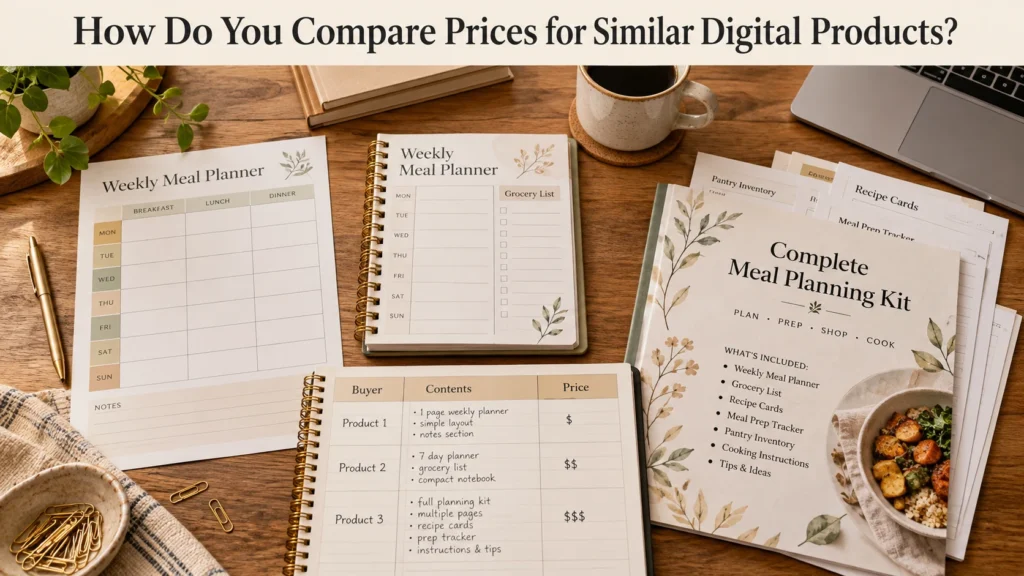
Looking at similar products can give you a useful point of reference. It cannot tell you the one price you must charge.
Choose about three products that serve a similar buyer and solve a similar problem. If yours is a simple printable meal planner, a large course about family nutrition is not a close comparison. Other beginner meal planners are more useful to study.
Compare products made for the same kind of buyer
Ask who each product appears to serve. A basic planner for someone planning meals for the first time may differ from a detailed system for someone managing a special diet. Even if both use the words “meal planner,” the buyers may expect different things.
Write down the displayed price of each comparable product. Then look beyond the number.
Notice what each product includes
Check the number of pages or templates, whether the files are editable, and whether the seller includes directions or extras. A one-page worksheet and a guided planner with several pages are different offers.
Do not automatically match the cheapest listing. You may not know why that seller chose its price. Do not copy the highest price either. Use the comparisons to understand what buyers receive at different prices.
For the meal planner example, you might find one simple page, one small set with a grocery list, and one larger planning kit. Note where your product fits based on its contents and usefulness. That gives you a better basis for choosing a price than looking at numbers alone.
Your Action: Find three comparable products. Write down each displayed price and what the buyer receives.
How to Price Your First Digital Product in Four Simple Steps
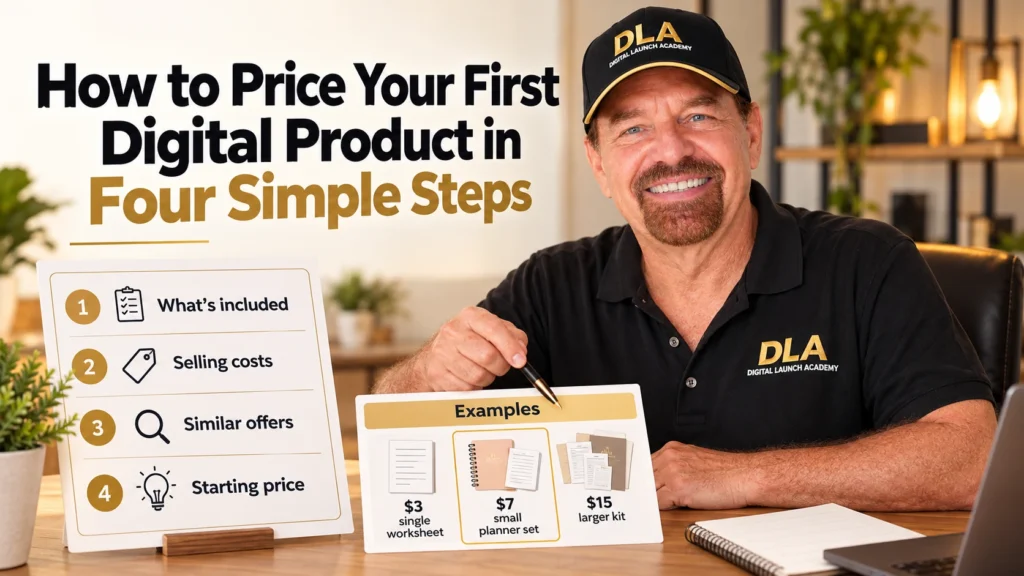
You now have two pieces of information: what your product offers and what similar products offer. Use them to choose one starting price you can explain. These steps are a guide, not a formula that guarantees a sale.
The prices and costs in the example below are fictional. They show how to make the decision; they are not recommended prices for your product.
Step 1: Write down what your product includes
Imagine you made a printable weekly meal planner for busy parents. It includes:
- A weekly planning page
- A printable grocery list
- A short page explaining how to use them
Make a similar list for your own product. Be specific, and make sure it matches what a buyer will actually receive.
Step 2: Estimate your costs per sale
Next, check the fees for the service that will take payment and deliver your file. Fees vary, so use current information from the platform you choose.
In our fictional example, suppose the seller estimates that selling costs will be $1 per sale. If the planner sells for $7, that would leave $6 after that estimated selling cost, before any other business expenses. This is simple subtraction, not a promise of profit.
If you pay a monthly fee for a design tool or website, write that down separately. It still matters to your business, even if it is not charged again for each download.
Step 3: Review comparable offers
Now imagine the seller finds three products intended for a similar buyer:
| Fictional product | What it includes | Fictional price |
|---|---|---|
| Simple worksheet | One planning page | $3 |
| Small planner set | Planning pages and grocery list | $7 |
| Larger planning kit | Several planners, extras, and detailed instructions | $15 |
The seller’s product is closer to the small planner set than to the one-page worksheet or larger kit. That comparison gives the seller a useful starting point.
When you do this for your own product, use actual comparable offers you find. Pay attention to what buyers receive, not just the prices.
Step 4: Choose one starting price
In this fictional example, the seller chooses $7. The reason is straightforward: the planner includes more than a single worksheet and is similar in scope to the small set priced at $7. The seller has also checked the estimated cost per sale.
The seller could make a different choice and review it later. What matters is being able to explain the starting price using the offer, costs, and comparisons.
You can follow the same process without copying $7. Your product, audience, selling costs, and comparable offers may all be different. If you are stuck between two close prices, choose one and set a date to review it.
Your Action: Write down one starting price and one sentence explaining why you chose it.
Should You Start With a Low Price?
A low price can feel safer when you have never sold a digital product. You may think people will buy more readily if the price is as small as possible. But a buyer first needs to understand what the product is, who it is for, and how it will help.
If those details are unclear, lowering the price may not answer their questions. Your price should make sense beside the offer you have described.
A lower starting price can be a deliberate choice while you learn how buyers respond. Just avoid treating “cheap” as the whole plan. Consider your costs and be honest about what the buyer receives.
A single printable worksheet and a larger guided planner need not carry the same price. Their contents and uses differ. You can price each thoughtfully without assuming that a higher price is always better or that a lower price guarantees sales.
Read your product description as if you were seeing it for the first time. Can you tell what you would receive? If not, clarify the offer before deciding the price alone must change.
Your Action: Ask, “Does my starting price match what buyers receive?” Write down one reason for your answer.
When Should You Change Your Digital Product Price?
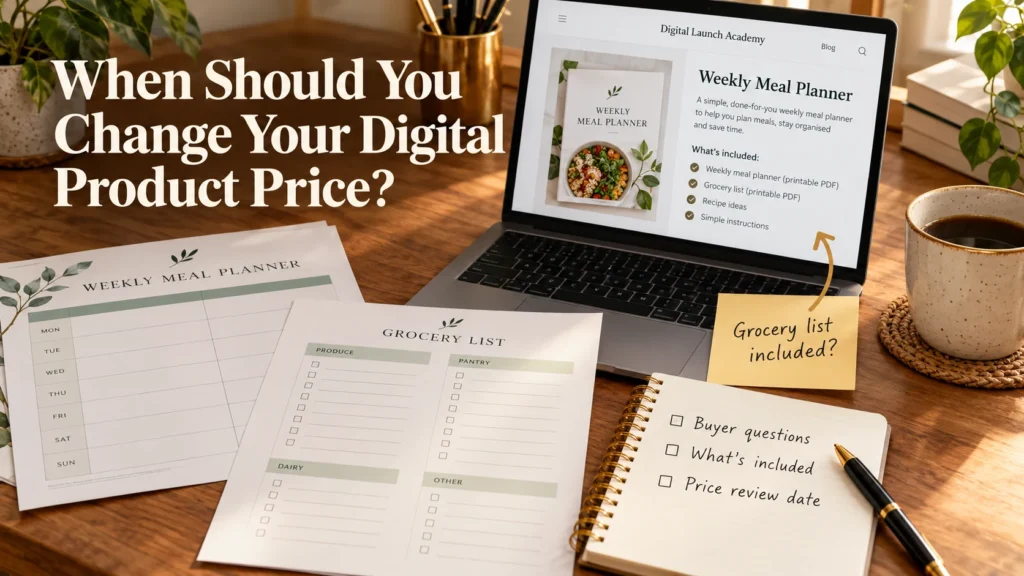
Once your product is available, give yourself a chance to learn from real responses. A price can change, but one slow day or a few visits without a sale do not prove that it is wrong.
Look at what people ask. Are they unsure which files are included? Do they understand who the product is for? Have buyers said that a part is especially useful or that something is missing? These clues can help you decide what to improve.
For example, suppose people visit your meal planner page and ask whether it includes a grocery list. If it does, make that detail clearer on the page. Learning to write a simple sales page can help buyers understand an offer before they judge its price.
If buyers consistently need something the product does not provide, you might decide to improve a digital product that is not selling. You could clarify the instructions or revise the product itself. Price is one possible change, but it is not the only one.
When you change the price, keep a simple record of the old price, the new price, the date, and your reason. Where practical, avoid changing the product, description, and price all at once. It is easier to learn when you know what you changed.
Set a review date that gives you time to gather useful information. There is no universal number of days or sales that tells every beginner when to adjust a price. Your goal is to make a considered decision from the evidence you have.
Your Action: Set a date to review your price. Write down the buyer questions and feedback you will check.
Frequently Asked Questions About First Digital Product Pricing
Pricing a first product often brings up a few smaller questions. Use these answers to check your own situation rather than looking for a price that fits every product.
How much should I charge for my first printable?
There is no single correct amount for every printable. A one-page checklist and a multi-page planner offer different things. Describe what your buyer receives, check your selling costs, and compare a few printables made for a similar buyer. Then choose a starting price you can explain.
Should I charge more for a Canva template than a printable?
The file type alone does not decide the price. Consider what the template helps the buyer do, how easy it is to use, what instructions come with it, and what rights you give the buyer. Compare similar templates with similar uses. A simple template is not automatically worth more than a detailed printable.
Can I change my price after I publish my product?
Yes. Your first price is a starting decision. Keep a note of the change and why you made it. Before adjusting it, also check whether buyers understand your product description and what is included. A price change works best as a thoughtful review, not a reaction to one quiet day.
You now have enough to decide what applies to your product and move forward.
Your Action: Pick the FAQ most relevant to your product and write down the one detail you need to check.
Choose a Starting Price and Keep Learning
You do not have to solve every pricing question before publishing your first product. Describe what the buyer receives, note your costs, compare a few relevant offers, and choose a starting price that makes sense to you.
Then pay attention to what happens. Buyer questions may show that your description needs work. Feedback may show that the product needs improvement. Over time, you can decide whether the price still fits.
A clear starting price is one part of preparing to make your first digital product sale. It does not guarantee a sale, and it does not have to be perfect. It gives you a reasoned decision you can use now and review later.
Your Action: Put your chosen price beside your product description, and save the date when you will review it.
Don’t Know What to Create?

Most beginners don’t fail because they lack talent.
They fail because they’re overwhelmed by too many ideas.
Download the Free Niche Planner Checklist and discover a digital product idea you can actually build.
