
A lot of people get stuck before they even start because they think selling digital products is only for tech experts. It is not. If you are wondering how to sell Canva templates, the good news is this can be one of the simplest ways to start an online income stream. You do not need design school, fancy software, or a big budget. You just need a clear plan and a few simple steps.
I understand because I was there too. When I first started, I thought I had to know everything before I could sell anything. That is not true. The fastest path is to keep it simple, make something useful, and put it in front of the right buyer.
Why Canva Templates are a Smart First Product
Canva templates are a great beginner product because people already want them. Small business owners, busy moms, coaches, church groups, teachers, and content creators all want ready-made designs that save time.
That matters because you are not trying to convince people to want something brand new. You are giving them a shortcut. And people gladly pay for shortcuts that make life easier.
Canva is also beginner-friendly. You can use simple drag-and-drop tools. You can start with free elements. You can make products like:
- social media post templates
- planners and trackers
- workbooks
- checklists
- invitations
- price lists
- media kits
You do need to make sure your templates follow Canva’s rules and use elements that can legally be shared in template form. So always double-check what is allowed before you sell.
How to Sell Canva Templates Step by Step
Step 1: Pick one Simple Template Idea
Do not start by trying to build a huge shop with 25 products. Start with one type of template that solves one clear problem.
A better beginner choice looks like this:
- Instagram post templates for realtors
- budget planner for retirees
- meal planner for busy moms
- baby shower invitation set
- cleaning checklist bundle
Specific sells better than general. A template for everyone usually feels too broad. A template for one kind of person with one need is much easier to sell.
If you are not sure what to make, think about questions people ask all the time. Think about groups that need help saving time. Think simple.
Step 2: Look at What Buyers Already Want
Before you make your template, spend a little time checking the market. This does not need to be complicated.
Search for the kind of template you want to create. Notice what keeps showing up. Look at the style, bundle size, and wording in product titles. Pay attention to what seems popular.
You are not copying. You are learning what buyers already understand and want.
Ask yourself:
- Is this product type already selling?
- What style do buyers seem to like?
- What problem does this template solve?
- Can I make a simpler or more beginner-friendly version?
This step helps you avoid making something pretty that nobody is looking for.
Step 3: Create the Template in Canva
Now it is time to make the product. Keep your first design clean and easy to use. Most buyers do not want complicated. They want something that looks nice and is easy to edit.
Open Canva and choose the size you need. Then build your design with simple fonts, clear spacing, and colors that match the audience.
A few beginner tips help a lot:
- Use 2 fonts at most.
- Leave space between sections.
- Keep colors soft and readable.
- Make text easy to edit.
- Avoid clutter.
If you are making a bundle, make sure all pages match. They should feel like one set.
This is where many beginners overwork the product. You do not need to make it perfect. You need to make it useful.
Step 4: Turn it into a Canva Template Link
This step is what makes your design sellable.
Inside Canva, open your finished design. Then create a template link so buyers can click and copy the template into their own Canva account.
You are not sending them your original file to edit directly. You are giving them a link that lets them use their own copy.
Before you list it for sale, test the link yourself. Click it. Make sure it opens correctly. Make sure all pages are included. Check for spelling mistakes and alignment problems.
A small test now can save you a lot of stress later.
Step 5: Make a Simple Product Delivery File
When someone buys your Canva template, they need an easy way to get the link.
The easiest method is to create a PDF that says something like:
- Thank you for your purchase.
- Click the button below.
- Open the Canva template.
- Make your own copy.
- Start editing.
Keep this file very simple. Your buyer should know exactly what to do within seconds.
You can also add a short note about whether they need a free Canva account or a Pro account. This matters if your template uses Pro elements. For beginners, it is often easier to create products that work with Canva Free.
Where to Sell Canva Templates
Step 6: Choose One Selling Platform First
If you are learning how to sell Canva templates, start with one platform instead of trying to be everywhere.
Many beginners start on marketplaces because they are easier to set up. You do not need a full website right away. You can list your product, upload your preview images, and begin testing.
Later, you can grow into your own store if you want more control. But at the beginning, simple is better.
The main goal is not to build a perfect brand overnight. The goal is to get your first product listed and learn what buyers respond to.
Step 7: Write a Clear Product Title and Description
Your product title should say exactly what the buyer is getting.
Good titles are plain and specific. For example, instead of saying Pretty Social Media Pack, say something like Instagram Post Templates for Realtors, 30 Editable Canva Templates.
In your description, explain:
- what the product is
- who it is for
- what is included
- how the buyer receives it
- whether Canva Free or Pro is needed
Do not try to sound fancy. Clear words sell better than clever words.
Step 8: Create Preview Images That Show the Product
People buy with their eyes first. Your preview images help them understand the value fast.
Show the template in a clean, easy way. Include a few pages or design samples. Add short text on the image if needed, such as editable in Canva or 25-page planner.
Make sure the images match the real product. If your preview looks amazing but the actual template feels weak, buyers will be disappointed.
Trust matters.
How to Price Canva Templates Without Overthinking it
Step 9: Start with a Beginner-Friendly Price
Pricing can feel scary, but you do not need a perfect number. You just need a fair one.
Look at similar products and choose a price that fits the size and quality of your template. A smaller single template will usually cost less than a full bundle.
At the start, keep this in mind:
- low prices can help you get early sales
- prices that are too low can make your product look less valuable
- bundles can often earn more than single items
You can adjust your price later. Your first goal is to start selling, not to solve pricing forever.
How to get Your First Sales
Step 10: Focus on Simple Traffic Methods
A good product still needs people to see it. That part scares many beginners, but it does not need to be hard.
Pick one simple way to bring attention to your templates. You might use Pinterest, short-form social media, or a basic email list later on. But if that feels like too much right now, start by making your listings better and adding more products in the same niche.
The more focused your shop is, the easier it is for buyers to understand what you offer.
If you sell one budget planner and it does well, create more products for that same audience. That is often smarter than jumping into five different niches at once.
Mistakes Beginners Make When Selling Canva Templates
Step 11: Avoid the Common Traps
This part can save you time and frustration.
First, do not make templates that are too generic. Basic designs with no clear audience often get ignored.
Second, do not use elements you are not allowed to resell in template form. Always check usage rights.
Third, do not create a confusing delivery process. If buyers cannot access the product easily, refunds and complaints can happen.
Fourth, do not wait until everything is perfect. You will learn more from listing one product than from thinking about 20 products.
There is always a balance here. You want quality, but you also want movement.
A Simple Plan for Your First Week
If this still feels big, here is a calmer way to approach it.
On day one, pick one audience. On day two, choose one template idea. On day three, study similar listings. On day four and five, create the template. On day six, make your delivery file and preview images. On day seven, list it for sale.
That is it. One week. One product. One clear goal.
At Digital Launch Academy, we believe beginners do better when they stop trying to learn everything at once. You do not need to become a designer or a tech expert. You just need to take the next simple step.
Selling Canva templates is not about being the most creative person online. It is about making something helpful, keeping the process easy, and giving yourself permission to start before you feel fully ready. Your first product does not need to change your life overnight. It just needs to exist.
Ready to Take the Next Step?
Canva templates are one of the easiest ways to start selling digital products, but they’re only the beginning. If you’re ready to learn the complete step-by-step process for creating, launching, and selling digital products with confidence, be sure to read our complete guide, How to Make Digital Products With Canva and AI.
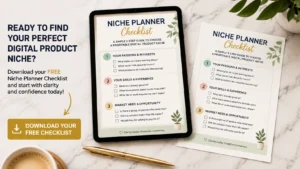
Don’t Know What to Create?
Most beginners don’t fail because they lack talent.
They fail because they’re overwhelmed by too many ideas.
Download the Free Niche Planner Checklist and discover a digital product idea you can actually build.
