
You can write product descriptions with AI even if writing sales copy makes you nervous. You do not need to be a professional writer or know complicated marketing words. You simply need clear information about your product, a helpful prompt, and a few minutes to check the final result.
A product description is the short section on your sales page that tells a buyer what they are getting, who it is for, and why it can help them. For a digital product, that might be a weekly planner, budget tracker, meal plan template, checklist, or printable guide.
AI can give you a strong first draft. Your job is to make sure it sounds like your product, tells the truth, and is easy for a real person to understand.
Start With the Product Details
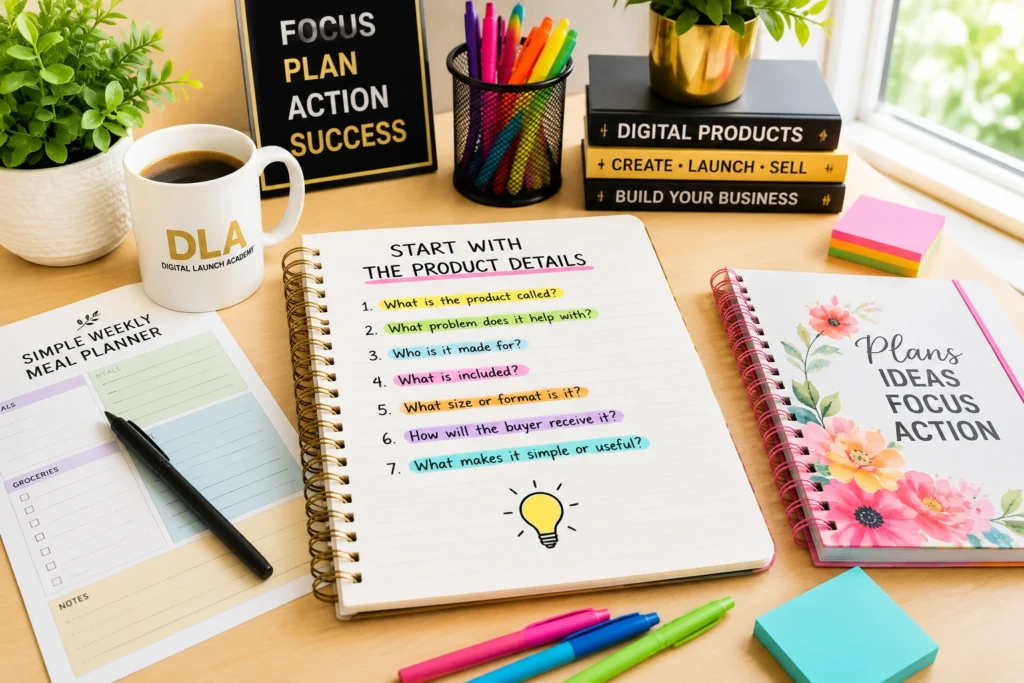
Before asking AI to write anything, gather a few simple facts. AI cannot see your Canva file or read your mind. The more clearly you explain the product, the more useful the description will be.
Open a blank note on your computer or phone. Then write down the answers to these questions:
- What is the product called?
- What problem does it help with?
- Who is it made for?
- What is included?
- What size or format is it?
- How will the buyer receive it?
- What makes it simple or useful?
For example, imagine you created a printable weekly meal planner in Canva. Your notes could say:
- Product name: Simple Weekly Meal Planner
- Helps with: planning meals and grocery shopping
- Made for: busy adults and families
- Includes: weekly meal plan page, grocery list, and pantry checklist
- Format: PDF printable, US Letter size
- Delivery: instant digital download
- Helpful feature: clean layout with plenty of writing space
These notes may look basic, but they are the foundation of a good description. You are not trying to sound fancy. You are giving the buyer clear answers.
Your small action
Choose one digital product you have made, or want to make. Write down its basic details before moving to the next step.
Use a Simple AI Prompt
A prompt is simply the instruction you type into an AI tool. Think of it as giving directions to a helpful assistant. If your directions are vague, the answer may be vague too.
You can use a free AI tool to create your first draft. Copy this prompt and replace the words in brackets with your own product details:
“`text Write a friendly product description for my digital product.
Product name: [name] It helps people: [problem it solves] It is for: [ideal buyer] It includes: [what is included] Format: [PDF, Canva template, spreadsheet, etc.] Delivery: [instant digital download] Helpful feature: [simple benefit]
Use plain, warm language. Keep it clear for beginners. Do not make promises that are too big. Write 150 to 200 words. Include a short opening paragraph, a list of what is included, and a gentle closing sentence. “`
You do not have to get the prompt perfect on the first try. That is one of the nice things about AI. You can ask it to adjust the draft.
If the writing feels too wordy, type: “Make this shorter and simpler.” If it sounds too formal, type: “Rewrite this like a friendly teacher speaking to a beginner.” If it leaves out an important detail, add that detail and ask for a new version.
Your small action
Paste your product details into the prompt. Save the first draft somewhere easy to find, such as a document or note.
How to Write Product Descriptions With AI That Sound Human
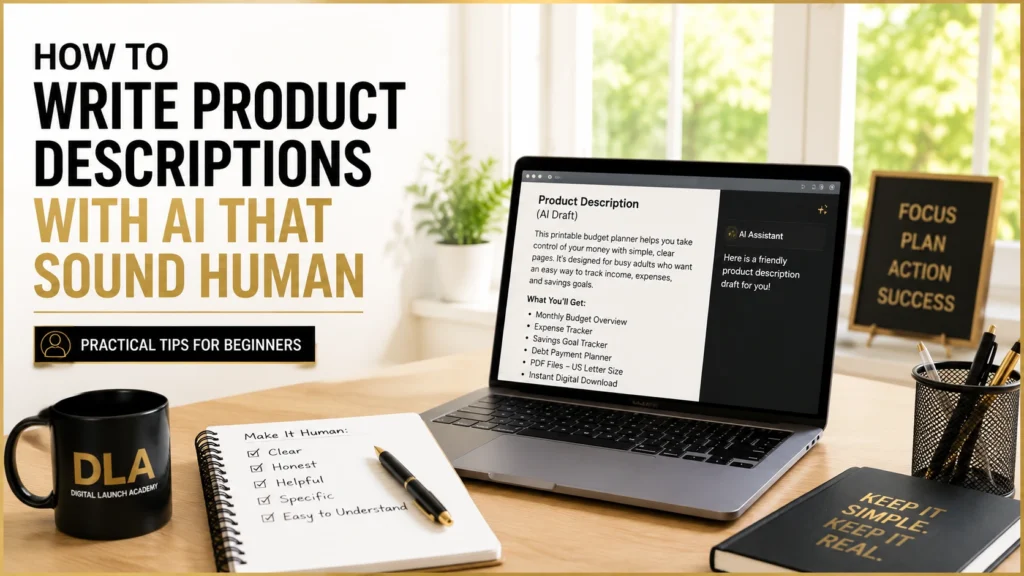
AI is helpful, but it can sometimes use phrases that sound stiff, exaggerated, or unlike you. This is normal. Do not copy and paste the first answer without reading it.
Read the description slowly. Pretend you are the buyer. Would you understand what you are getting? Would you know whether you need a printer, a Canva account, or another tool? Would the words make you feel comfortable buying?
Look for three things as you edit.
First, remove big promises. A budget tracker can help someone organize their spending. It cannot guarantee they will become debt-free. A meal planner can make planning easier. It cannot promise every dinner will be stress-free. Honest wording builds more trust than dramatic claims.
Second, add real details. AI might say your template is “beautiful and easy to use.” That is not very specific. You could change it to: “The template has 12 monthly pages, large writing spaces, and a clean black-and-white design that prints clearly at home.” Now the buyer knows what they are getting.
Third, use words your audience would say. If you are selling to busy parents, you might use “save time deciding what to cook.” If you are selling to retirees, you might say “keep your weekly plans in one easy place.” Simple words work well because they are easy to trust.
Your small action
Edit your AI draft by removing one exaggerated phrase and adding two real product details.
Add a Clear “What You Get” Section
Buyers like to see exactly what is included before they purchase. This is especially important with digital downloads because they cannot hold the product in their hands.
A short list is often the clearest choice. Keep each item specific. For the meal planner example, you could write:
- One weekly meal planning page
- One matching grocery list page
- One pantry inventory checklist
- PDF files in US Letter size
- Instant digital download after purchase
Only list what the buyer will actually receive. If the product is a Canva template, say whether they need a free Canva account to edit it. If it is a printable PDF, explain that no physical item will be mailed.
This small section can prevent confusion later. It also helps the buyer feel confident before they click purchase.
Your small action
Create a “What You Get” list with every file, page, or bonus included in your product.
Write a Gentle Closing Sentence
The final line of your description should help the buyer picture using the product. It does not need pressure or fancy sales language.
For example, you could write: “Download your planner today and make your next week feel a little easier.” Or: “Use this simple tracker to keep your goals, tasks, and progress in one place.”
Choose a sentence that matches the true benefit of your product. A gentle invitation feels more natural than telling someone they must buy right now.
If you are new to selling, remember this: your description does not have to be perfect to be useful. It only needs to help the right person understand your product.
Check Your Description Before You Publish

Before adding the description to your product listing, do one final check. Make sure the product name is correct, the file details are accurate, and the buyer knows how they will receive it.
Then check that the description answers these simple questions: What is this? Who is it for? What does it include? How can it help? Is it a digital item or a physical item?
It also helps to read it out loud. If you stumble over a sentence, shorten it. If a word sounds like something you would never say, replace it. Your natural voice is one of the things that makes a small digital product business feel personal.
Your small action
Read your finished description out loud once. Make one final change that makes it clearer.
A Ready-to-Use Example
Here is what a simple finished description could look like:
Simple Weekly Meal Planner
Make meal planning feel less stressful with this clean, printable weekly meal planner. It is designed for busy adults and families who want an easy place to plan meals, make a grocery list, and check what they already have at home.
What you get:
- Weekly meal planning page
- Matching grocery list page
- Pantry inventory checklist
- PDF files in US Letter size
- Instant digital download
The pages have a simple layout with plenty of room to write. Print a fresh copy each week, or keep your pages in a home binder. No physical product will be mailed.
Download your planner and make your next grocery trip easier to organize.
You can use this same process for almost any digital product. Start with the facts, let AI help you create a draft, and then add your own clear details. One finished description is a real step forward, and you are fully capable of taking it.
Conclusion: Start With One Product Description
Writing product descriptions with AI does not have to be complicated. Start with the facts about your product, give AI clear instructions, and then review the draft carefully before you publish it.
Make sure your description explains what the buyer will receive, who the product is for, and how it can help. Remove exaggerated promises and replace vague language with real details about your product.
You do not need to write the perfect sales description. You need a clear, honest description that helps the right buyer understand what you are offering.
Start with one product today. Once you have written and edited your first description, the next one will be much easier.
If you want to see more ways AI can help with planning, content, research, and everyday business tasks, read our guide to AI for Online Business: How to Build and Grow as a Beginner.
Don’t Know What to Create?

Most beginners don’t fail because they lack talent.
They fail because they’re overwhelmed by too many ideas.
Download the Free Niche Planner Checklist and discover a digital product idea you can actually build.
