
Some of the best digital product ideas for retirees start with things you already know how to do. That is the part many people miss. You do not need to be a designer, a tech expert, or a social media pro. You just need one helpful idea, one simple tool, and a clear first step.
I understand why this can feel intimidating. When I first started helping beginners, I saw the same fear again and again – too many tools, too much advice, and no clear place to begin. The good news is that digital products can be very simple. Many can be made in Canva or a basic document editor, then saved as a PDF and sold more than once.
The best digital product ideas for retirees build on the knowledge, hobbies, and life experience you’ve already gained over the years.
Table of Contents
ToggleWhy digital product ideas for retirees work so well
Retirees often have something very valuable – life experience. You may know how to budget, organize a home, care for a garden, plan meals, help grandkids learn, or manage a busy household. Those everyday skills can become useful digital products.
This works well because digital products do not need inventory, shipping boxes, or a spare room full of supplies. You create the product once, improve it as needed, and sell copies again and again. That does not mean it is effortless. You still need to pick a helpful topic and make it easy to use. But compared with many side hustles, this can be lower stress.
11 simple digital product ideas for retirees
1. Printable planners
A planner is one of the easiest places to start. You can make a daily planner, weekly planner, medication tracker, meal planner, cleaning schedule, or bill payment tracker.
These do well because people want simple tools that help them stay organized. Canva has ready-made layouts, so you do not need to design from scratch.
2. Checklists
Checklists are small but useful. Think travel packing lists, moving checklists, end-of-month cleaning lists, holiday prep lists, or caregiver checklists.
This is a great option if making a full planner feels too big right now.
3. Budget worksheets
Many people need help tracking money in a simple way. If you have experience managing a household budget, you can turn that skill into printable budget sheets, savings trackers, or debt payoff pages.
Keep them clean and easy to fill out. Simple usually sells better than fancy.
4. Recipe books
If you enjoy cooking, a themed recipe guide can work well. You might create budget-friendly meals, slow cooker dinners, meals for one or two, low-sugar recipes, or holiday side dishes.
A short recipe book is enough. It does not have to be 100 pages.
5. Memory journals
Many families want ways to save stories and family history. A memory journal with prompts can be a meaningful product. You can create pages with questions about childhood, marriage, work life, travel, and family traditions.
This type of product feels personal and useful, which makes it easier to market.
6. Hobby guides
If you know gardening, knitting, birdwatching, sewing, fishing, or scrapbooking, you can turn beginner tips into a simple guide. People love learning from someone who explains things in plain English.
A short guide with clear steps is often better than a long, complicated ebook.
7. Caregiving printables
Caregivers need practical help. You could make doctor visit logs, medication sheets, symptom trackers, emergency contact pages, or daily care planners.
These products solve a real problem, which is always a smart place to start.
8. Grandparent activity packs
This is a fun one. You can create printable coloring pages, indoor activity sheets, reading trackers, summer visit planners, or memory game cards for grandparents to use with grandkids.
If you enjoy family time, this idea may feel natural and easy to build.
9. Home organization binders
Many people want to get their home life in order. A home binder can include cleaning schedules, pantry inventory sheets, important phone number pages, pet care records, and maintenance logs.
You are not selling paper. You are selling peace of mind.
10. Simple how-to guides
A practical guide can be built from almost any useful skill. You could teach how to start a vegetable garden, host a family reunion, declutter a closet, prepare for holiday guests, or organize important documents.
The key is to choose one problem and solve it simply.
11. Prompt packs and writing templates
This may sound advanced, but it does not have to be. A prompt pack is just a list of helpful questions or fill-in-the-blank starters. You can make journal prompts, gratitude prompts, memoir writing prompts, or church group discussion prompts.
These are quick to create and easy for buyers to use.
How to choose the right idea
You do not need the perfect idea. You need a useful one.
Step 1: Start with what people ask you about
Think about the questions friends, family, or neighbors already ask you. Do they ask how you stay organized, cook on a budget, garden successfully, or keep track of appointments? That is a clue.
Step 2: Pick a problem that is small and clear
Avoid broad topics at first. Instead of making a huge guide about healthy living, create a simple meal planner for seniors. Instead of a full course on home management, make a weekly cleaning checklist.
Small products are easier to finish and less stressful to sell.
Step 3: Choose a format that feels easy
If writing feels easier, create a guide or checklist. If organizing pages feels easier, create a planner or tracker. If you enjoy sharing ideas, make a prompt pack.
Go with the format that feels light, not heavy.
If you need more help narrowing your idea, read How to Choose a Digital Product Niche for Beginners (Without Overwhelm).
How to make your first product without getting overwhelmed
You do not need expensive software. You do not need to learn coding. You do not need to make everything from scratch.
Step 1: Open Canva
Choose a simple template that matches your idea. Search for planner, checklist, workbook, or ebook. Pick one with a clean layout and large, readable text.
Step 2: Replace the sample text
Change the title, section names, and page content to fit your topic. Keep your wording short and useful. If a page feels crowded, remove things. White space is your friend.
Step 3: Make it easy to use
Add clear headings. Use larger fonts. Keep instructions short. If your buyer is older or busy, they will appreciate a product that feels calm and easy to read.
Step 4: Save it as a PDF
Most beginner digital products can be sold as PDF files. That keeps things simple.
Step 5: Test it yourself
Print it out or open it on your screen. Pretend you are the buyer. Is anything confusing? Is there too much text? Is it easy to follow? Fix those small issues now.
What makes a retiree digital product sell
A product does not need to be fancy. It needs to be helpful.
Here is what usually matters most:
- It solves one clear problem
- It looks neat and easy to read
- It saves the buyer time
- It feels simple to use right away
- It is made for a real type of person
This is where many beginners overthink things. They worry about logos, colors, or making everything perfect. But buyers usually care more about whether the product helps them.
Common mistakes to avoid
Making it too broad
If your product tries to do everything, it can feel confusing. Keep it focused.
Adding too much design
A clean product often works better than a busy one. Fancy graphics are not required.
Waiting until you feel fully ready
You may never feel fully ready. That is normal. Your first product is allowed to be simple.
Choosing a topic you do not enjoy
Yes, it helps to think about what sells. But it also matters that you can actually finish the project. If you hate the topic, you will probably stall.
A simple plan to start this week
If you want to move from thinking to doing, keep it small.
Step 1
Write down three things you know well.
Step 2
Pick one small problem you can help solve.
Step 3
Choose one format: checklist, planner, tracker, guide, or prompt pack.
Step 4
Make a rough version in Canva.
Step 5
Finish it before trying to make it perfect.
That last step matters more than most people realize. Finished products can be improved. Unfinished ideas cannot help anyone.
If you want a low-stress side income, digital product ideas for retirees can be a very real starting point. You do not need to do everything at once. Start with one simple product that matches what you already know. That is more than enough for day one.
Choosing the right digital product idea is the first step toward building an online income stream in retirement. Once you’ve found an idea that fits your experience and interests, the next step is learning how to create it, price it, launch it, and begin making sales. For a complete beginner-friendly roadmap, continue with our Digital Products for Beginners guide and discover how to turn your idea into a successful digital product business.
The best niche for digital products is not usually the trendiest idea online. It is a small problem you understand, for a group of people who want an easy answer. A simple planner, tracker, checklist, or guide can be more useful than a huge course with 100 lessons.
If choosing a niche feels scary, take a breath. You do not need to predict the future. You only need to pick one helpful starting point. I understand because I was there too. Too many choices can make you feel like you need to get everything perfect before you begin. You do not.
What a niche really means
A niche is simply a specific group of people and one problem you can help them solve.
For example, “planners” is too broad. But “weekly meal planners for busy moms” is a niche. “Fitness” is broad. But “walking trackers for adults over 50” is a niche.
The more clearly you can picture the person using your product, the easier it becomes to make it. You will know what words to use, what pages to include, and what problem the product should solve.
A good beginner niche does not need to be fancy. It needs to be clear.
Step 1: Start with what you already know
You do not need to be a famous expert to make a helpful digital product. Think about everyday things you have learned through work, family life, hobbies, or personal experience.
Ask yourself these simple questions:
- What do friends or family ask me for help with?
- What have I had to organize, plan, track, or learn in my own life?
- What problem have I solved the hard way that could be easier for someone else?
- What type of person do I understand well?
Maybe you have managed a household budget for years. Maybe you enjoy gardening. Maybe you have cared for an aging parent, planned family trips, taught children, or kept your own health goals on track.
These are not “small” experiences. They can become useful products.
For example, a retiree who loves gardening could create a garden planting planner. A busy parent could make a school morning routine chart. Someone who has paid off debt could create a simple monthly bill tracker.
You are not selling your whole life story. You are turning one useful piece of what you know into a tool that saves another person time or worry.
Step 2: Choose a problem that is easy to understand
The best digital products often help people get organized, remember something, make a decision, or follow a routine. These problems are simple, but they matter.
Look for problems that make people say things like:
- “I keep forgetting to do this.”
- “I do not know where to start.”
- “I need a simple way to keep track of this.”
- “I wish I had a checklist for that.”
A product does not have to solve a giant life problem. It can solve one small, annoying problem well.
Let’s say your niche is pet owners. “Pet owners” is still broad. Narrow it down to a clear need, such as a puppy feeding schedule, a senior dog medication log, or a new cat owner checklist.
Each of these ideas can become a short, useful printable. That is much less stressful than trying to build a full website or write a 50-page book.
Step 3: Use the simple niche test
Before you spend hours designing anything, test your idea with four questions. Write your answers on a piece of paper.
Can you name the person?
Avoid trying to help “everyone.” Instead, name one type of buyer.
Good examples include first-time gardeners, busy nurses, new puppy owners, people planning a wedding, and adults starting a walking habit.
Can you name the problem?
Your buyer should have one clear problem. “They want a better life” is too vague. “They need to track their daily water intake” is clear.
Can you make a simple first product?
Your first product should be possible to create in a few hours or over a weekend. Think of a one-page checklist, a five-page planner, a tracker, a set of journal prompts, or a short guide.
Would someone use it more than once?
Products people use weekly or monthly can be especially helpful. Meal planners, expense trackers, cleaning checklists, habit trackers, and appointment logs all fit this idea.
If your answer is yes to at least three of these questions, your niche is worth trying.
Step 4: Pick one of these beginner-friendly niche directions
You can begin in almost any area, but some niches work well for simple digital products because people already need help staying organized.
Home and family organization
This includes meal planners, chore charts, cleaning schedules, moving checklists, emergency contact sheets, and family budget trackers. These products are practical and easy to understand.
Health and personal routines
Think walking logs, water trackers, medication lists, self-care planners, sleep journals, and healthy meal prep sheets. Be careful not to give medical advice. Focus on organizing information and daily habits.
Hobbies and life interests
Gardening journals, reading logs, recipe cards, travel packing lists, craft project planners, and pet care trackers are all good examples. This works well when you genuinely enjoy the topic.
Work, money, and simple planning
You might create job search trackers, small business expense sheets, weekly goal planners, customer order forms, or home budget pages. Keep the product easy. A beginner does not need a complicated spreadsheet with dozens of formulas.
The best niche depends on your own knowledge and the problem you want to help solve. Do not choose a niche only because someone online says it makes money. If you dislike the topic, creating products for it will feel like a chore.
Step 5: Check whether people are already interested
You do not need expensive research tools for this step. Use common sense and look for signs that people already want help.
Search for your product idea on marketplaces and social media. Notice the words people use in product titles, comments, and questions. You are not copying someone else’s design. You are learning what buyers care about.
For example, if you see many people looking for a “weekly meal planner,” look closer. Are they asking for a low-cost grocery list page? A planner for large families? A printable that is simple enough for beginners?
That small detail can help your product stand out.
Competition is not always bad. It can mean people are already buying in that area. The goal is not to find an idea nobody has ever had. The goal is to make your version clearer, simpler, or more specific for one group of people.
Step 6: Create a tiny first product in Canva
Once you choose your niche, do not overthink the design. Your first product is practice. It does not need fancy colors, special software, or graphic design skills.
Here is a simple way to make a printable tracker in Canva:
- Open Canva and choose “Create a design.” Select US Letter Document if you want a standard printable page.
- Search Canva templates using simple words such as “habit tracker,” “meal planner,” or “checklist.” Choose a clean layout with plenty of white space.
- Change the title so it speaks to your niche. For example, change “Daily Tracker” to “My 30-Day Walking Tracker for Beginners.”
- Remove anything that does not help the buyer. Keep only the sections they need.
- Use large, easy-to-read text. Choose two or three colors at most.
- Download your finished page as a PDF Print file.
That is enough for a first product. You can always add more pages later after you learn what people like.
Step 7: Keep your first offer simple
A common beginner mistake is making too much before making a sale. You do not need 40 pages, ten bonuses, or a complicated product bundle.
Start with one useful item. A five-page weekly meal planner is enough. A set of 20 journal prompts is enough. A puppy vaccine tracker is enough.
Give the product a plain, clear name. Tell people exactly what it helps them do. For example: “Simple Monthly Budget Tracker for Beginners” is easier to understand than a clever name that leaves people guessing.
As you grow, you can create matching products in the same niche. A meal planner can later become a grocery list, pantry inventory sheet, and recipe card pack. One clear idea can lead to a small collection over time.
Your first choice does not have to be forever
Choosing a niche is not a permanent decision. It is your starting point. You can test one small product, learn from the process, and adjust as you go.
Remember, the most successful digital product ideas for retirees don’t have to be complicated—they simply need to solve a real problem for a specific group of people.
Pick the idea that feels useful and manageable this week. Open Canva, make one page, and let that small finished product prove to you that you can do this.
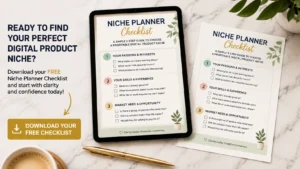
Don’t Know What to Create?
Most beginners don’t fail because they lack talent.
They fail because they’re overwhelmed by too many ideas.
Download the Free Niche Planner Checklist and discover a digital product idea you can actually build.