A good digital product starter course should not leave you staring at a blank screen, wondering what to do first I understand because I was there too. When people search for the best digital products for beginners, they usually do not need more ideas. They need simple ideas that are easy to make, easy to understand, and not scary to sell.
That is exactly where to start.
The best first product is not the fanciest one. It is the one you can finish. For most beginners, that means a simple product made with a free tool like Canva, based on a small everyday problem people want help with.
What Makes the Best Digital Products for Beginners?
Before we get into product ideas, let us keep this simple. A beginner-friendly digital product should check four boxes:
- It solves one small problem.
- It is easy to create in a few hours or days, not months.
- It does not require coding or advanced design skills.
- It can be delivered as a PDF, template, or simple file.
If a product idea needs a website with ten moving parts, video editing software, or weeks of setup, it is probably not the right first step.
A simple win builds confidence. That matters more than trying to create the perfect product on day one.
1. Printable Planners
Printable planners are one of the best places to begin because people already understand what they are. You do not need to explain a planner from scratch. You just need to make it useful for a specific person.
Instead of making a general planner, make a focused one. Think meal planner, budget planner, medication tracker, daily routine planner, or cleaning schedule.
Why Planners Work for Beginners
- They are easy to build in Canva.
- You can use simple boxes, lines, and text.
- They solve clear everyday problems.
- You can create them as a PDF.
Step-by-Step: How to make one
- Pick one topic, like grocery planning.
- Open Canva and choose a US Letter document.
- Add a title, simple sections, and space to write.
- Keep the design clean. Do not overdecorate it.
- Save it as a PDF.
The trade-off is that planners are popular, so broad ones can get lost. That is why specific planners tend to do better.
2. Checklists
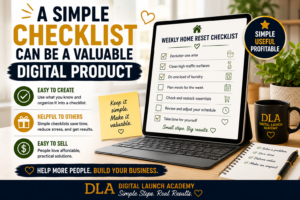
Checklists are simple, helpful, and fast to create. They work well for busy people because they save time and reduce stress.
A good checklist helps someone finish a task without forgetting steps. Think moving checklist, new puppy checklist, road trip checklist, or first apartment checklist.
Why Checklists are a Strong First Product
- They are quick to make.
- They do not require much design.
- People love practical tools.
- You can create several in the same niche.
Step-by-Step: How to make one
- Choose one task people want help with.
- Write out every step in plain language.
- Group steps into small sections.
- Format it neatly in Canva.
- Export it as a PDF.
This is a great option if writing feels easier than designing.
3. Trackers
Trackers are another smart choice if you want a product that is simple but useful. People use trackers for habits, spending, sleep, water intake, blood pressure, exercise, and more.
The beauty of a tracker is that it does one job. That makes it less overwhelming for you to create and easier for a buyer to use.
4. Simple Guides
A short guide can work very well if you know how to explain something clearly. It does not need to be a huge ebook. In fact, shorter is often better for beginners.
A simple guide could be:
- a beginner grocery budget guide
- a guide to organizing important papers
- a pet care basics guide
- a first-time vegetable garden guide
Step-by-Step: How to make a Simple Guide
- Pick one problem you can explain in a few pages.
- Write a short intro.
- Break the solution into 3 to 7 steps.
- Add helpful tips or examples.
- Design the pages in Canva and save as a PDF.
The trade-off here is that guides require more writing than planners or trackers. But if you enjoy explaining things, this can be a very natural first product.
5. Templates
Templates save people time. That is why they sell so well. A template gives someone a ready-made starting point instead of asking them to build from scratch.
For beginners, simple templates are best. Think chore charts, invoice templates, reading logs, gratitude journal pages, or daily schedule pages.
Why Templates are one of the Best Digital Products for Beginners
- You do not need artistic talent.
- You can start with a basic layout.
- Buyers understand the value quickly.
- One idea can turn into a small bundle.
If you use Canva, templates are especially beginner-friendly because you can duplicate pages and change colors, titles, or sections without starting over.
6. Journals and Workbooks
A journal or workbook is a good fit if you want a product that feels a little more valuable without getting too complicated. The easiest way to make one is to keep it focused.
Do not try to create a life-changing 100-page workbook. Start with something like a self-care journal, prayer journal, gratitude workbook, or goal-setting workbook.
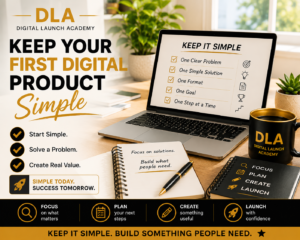
Step-by-Step: How to Keep it Simple
- Choose one purpose for the journal.
- Create 10 to 20 pages with repeated prompts.
- Use large text and plenty of writing space.
- Add a clean cover page.
- Save it as a printable PDF.
This type of product can feel more personal, which is a plus. Just make sure it stays clear and easy to use.
7. Kids Activity Pages
If you enjoy family-related topics, kids activity pages can be a fun first product. Parents are always looking for simple printables that keep children busy and learning.
You could make alphabet tracing pages, coloring pages, matching games, or simple reward charts.
This works best if you keep the design bold and uncluttered. Too many decorations can make the page harder to use.
8. Budget Tools
Budget printables are practical and in demand. Many people want help organizing their money in a simple way.
A beginner product in this space might be a monthly budget sheet, savings tracker, bill tracker, debt payoff worksheet, or no-spend challenge page.
Why Budget Products do Well
- They solve a real problem.
- They are easy to understand.
- They can be made with simple tables and headings.
- Buyers often want more than one page, which makes bundles easy.
If you choose this niche, make your layout extra clear. Money products should feel calm, not cluttered.
9. Niche Bundles
Once you have made one or two simple products, you can combine them into a bundle. This is often a smart next step because bundles feel more valuable without adding much extra work.
For example, instead of selling one meal planner page, you could create a meal planning bundle with a grocery list, weekly menu, pantry inventory sheet, and budget tracker.
That said, a bundle is usually better as product number two or three, not your very first one. Start with one page or one small product. Then build from there.
How to Choose Your First Product Idea
If you feel stuck, use this quick filter.
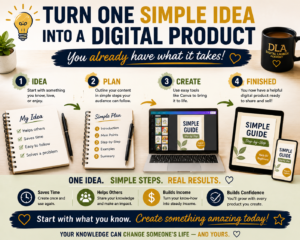
Step 1: Start with Your Own Life
Ask yourself what you already use, need, or understand. Maybe you track medications, organize bills, plan meals, care for pets, or manage a household routine.
Your everyday experience is enough. You do not need to be an expert with fancy credentials.
Step 2: Pick one Small Problem
Do not choose a huge topic like wellness or productivity. Choose one small problem like remembering daily medication, planning low-cost meals, or keeping a cleaning routine on track.
Small problems are easier to turn into useful products. If you’re having trouble narrowing your idea, read How to Choose a Digital Product Niche for Beginners (Without Overwhelm).
Step 3: Choose the Easiest Format
If you like structure, make a planner or tracker. If you like writing, make a guide. If you like repeating layouts, make templates.
The best choice is the one that feels doable this week.
Step 4: Use Free, Simple Tools
You do not need expensive software. Canva is enough for most beginners. If writing feels hard, simple AI tools can help you brainstorm titles, page ideas, and wording.
Just keep control of the final result. Make sure it sounds clear and helpful.
What to Avoid as a Beginner
Some product ideas sound exciting but create stress fast.
Try not to start with online courses, complicated memberships, mobile apps, or anything that needs tech setup you do not understand yet. Those can come later if you want them.
For now, stay with products that are easy to make, easy to save, and easy to deliver.
That is not thinking small. That is building smart.
A Simple First-Week Plan
If you want to stop overthinking and start moving, here is a gentle plan.
Day 1
Pick one product type and one audience.
Day 2
Sketch the pages on paper or type out the sections.
Day 3
Build the product in Canva.
Day 4
Read through it and simplify anything confusing.
Day 5
Create a cover and save the final PDF.
Day 6
Ask yourself, would this help someone save time, feel less stressed, or get organized?
Day 7
Make small fixes and get it ready to sell. When your product is ready, follow How to Launch Your First Digital Product for the next steps.
That is enough. You do not need a perfect brand, a giant social media following, or a complicated funnel to create your first digital product.
If you want the honest answer, the best digital products for beginners are the ones that are simple, useful, and finished. A plain tracker that helps someone is better than a fancy product that never gets done. Start with something small. Let it be simple. Confidence grows much faster after your first finished product than it ever does from more research alone.
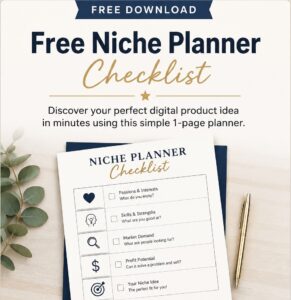
Don’t Know What to Create?
Most beginners don’t fail because they lack talent. They fail because they’re overwhelmed by too many ideas. Download the Free Niche Planner Checklist and discover a digital product idea you can actually build.
Let’s Build Your First Product Together—Live!
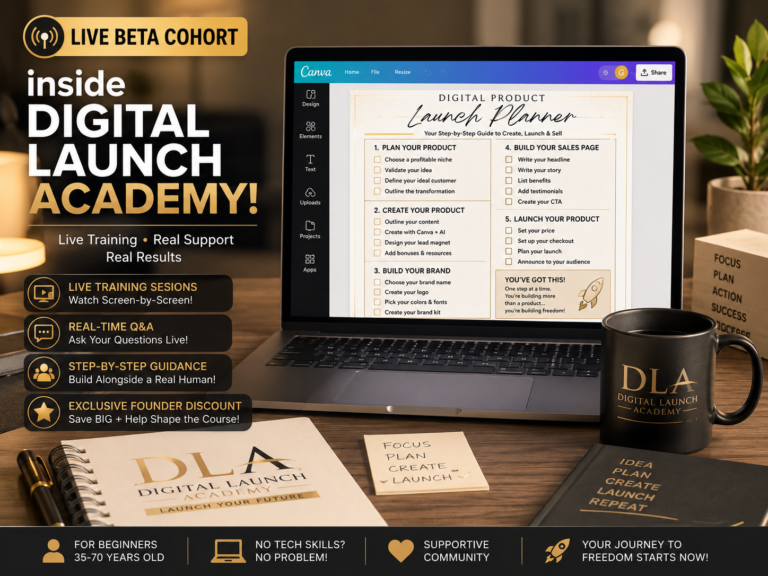
Join the Live Beta Cohort inside Digital Launch Academy!We are gathering a small group of founding members to walk through this exact process together LIVE. You can pull up your computer, watch my screen, and build your very first Canva asset right alongside me step-by-step.I will answer your questions in real-time, show you exactly what to click, and help you launch your business with total confidence.
 Click Here to Claim Your Live Beta Founding Member Spot Today!