
You do not need to stare at a blank Canva page and guess what to make. AI prompts for digital products can help you come up with useful ideas, write the words for your pages, and organize your product one small step at a time. Think of a prompt as a clear instruction you type into an AI tool, much like asking a helpful assistant for a starting point.
The good news is that you do not need to be a writer, designer, or computer expert. You simply need a product idea, a few clear instructions, and the willingness to choose what feels useful. AI can create a first draft. You are still the person who checks it, improves it, and turns it into a simple product someone will want to use.
What Makes Good AI Prompts for Digital Products?
A vague prompt often gives vague results. For example, typing “make a planner” may bring back something too general to use. A better prompt tells AI what you are making, who it is for, and what you want included.
A simple prompt has four parts:
- The product type. Say whether you want a checklist, planner, tracker, template, worksheet, or short guide.
- The person it helps. This could be busy moms, retirees, dog owners, new teachers, or people planning a move.
- The goal. Explain what the buyer wants help doing, such as saving money, organizing meals, or keeping track of appointments.
- The format. Ask for page ideas, short headings, a table, a checklist, or plain language.
Here is a basic example:
> Create 15 simple page ideas for a weekly meal planner for busy families. Include a weekly menu page, grocery list, pantry inventory, and leftover tracker. Use short, friendly headings.
That one instruction gives AI enough detail to offer useful ideas without making the process complicated.
Your action: Choose one person you would like to help. Do not overthink it. Write down one everyday problem they have.
The Five Parts of a Good AI Prompt
Step 1: Choose a Small, Useful Product Idea
Your first product does not need to solve every problem in someone’s life. In fact, smaller products are often easier to create and easier for buyers to understand.
Good beginner product ideas include a habit tracker, moving checklist, budget planner, cleaning schedule, pet care log, gratitude journal, holiday planning workbook, or simple meal planner. These are practical products people can print or fill in on a tablet.
Ask AI to help you narrow your idea with this prompt:
> Give me 20 beginner-friendly digital product ideas for [audience]. Each idea should solve one small, everyday problem. Focus on planners, checklists, trackers, templates, and short guides.
Replace `[audience]` with the group you picked. For example, you might type “retirees who want to organize medical appointments” or “new puppy owners.”
When AI gives you ideas, do not try to make all 20. Read the list and circle one that sounds simple and helpful. A good first choice is something you can picture using yourself.
Your action: Pick one product idea that could fit on 5 to 15 pages.

Step 2: Ask AI to Build Your Page Plan
Once you have an idea, you need a page plan. This is simply a list of pages your product will include. It keeps you from opening Canva and feeling lost.
Let’s say you chose a moving checklist. You could ask:
> Create a 10-page outline for a moving checklist printable for adults moving into a new home. Include a cover page and simple pages for tasks to do eight weeks before moving, four weeks before moving, moving week, address changes, packing, and first-day essentials. Keep each page easy to read.
AI may give you a list that is close to what you need. You do not have to use every suggestion. Remove anything that feels unnecessary. Add a page if you know your buyer would find it useful.
For a planner or tracker, use this prompt:
> Create a page-by-page outline for a 12-page water intake tracker. Make it encouraging and simple for beginners. Include a cover, instructions, monthly trackers, weekly tracker options, and a progress reflection page.
This step is where your product starts to feel real. You now know what you are making before you start designing it.
Your action: Copy your favorite page plan into a document or notebook. Number the pages from beginning to end.
Step 3: Create Clear Words for Each Page
Many beginners worry they are not good writers. You do not need to write perfect words from scratch. AI can help you create headings, instructions, questions, and checklist items.
The key is to ask for short, useful text. A printable page can become crowded very quickly. Tell AI to use plain language and keep the wording brief.
Try this prompt for a checklist page:
> Write 12 short checklist items for a “One Week Before Moving” page. Use plain American English. Keep each item under 10 words and make it practical for a first-time mover.
Try this prompt for a journal page:
> Write five gentle reflection questions for a weekly gratitude journal page. Use warm, simple language. Each question should be one sentence or less.
Try this prompt for product instructions:
> Write a short “How to Use This Planner” section for a weekly budget planner. Use a friendly tone for complete beginners. Limit it to 80 words.
Always read the result before using it. AI can make mistakes, repeat itself, or suggest something that does not fit your audience. Change any wording that sounds confusing, too formal, or unlike something a real person would say.
Your action: Choose one page from your plan and use AI to write the heading and content for it.

Step 4: Turn the AI Draft Into a Canva Product
Now you can move your words into Canva. Start with a simple document or US Letter printable template. You do not need fancy graphics. Clean pages are easier for customers to use and easier for you to create.
Begin with your cover page. Add the product name, such as “Simple Moving Checklist” or “Weekly Meal Planner.” Then create one inside page at a time using your page plan.
Keep the design simple:
- Use one or two easy-to-read fonts.
- Choose two or three colors that look good together.
- Leave plenty of white space around text.
- Use lines, boxes, and check marks to organize information.
- Make sure there is enough room for the customer to write.
You can ask AI for design direction too. For example:
> Suggest three simple color palettes for a calming weekly self-care planner. Include color names and a short description of the feeling each palette creates.
AI can suggest ideas, but Canva is where you make the final choices. If a design feels busy, remove something. Simple is not boring when the product is useful.
Your action: Create your cover page and one inside page in Canva today. That is enough progress for one session.
Step 5: Use Prompts to Write Your Product Listing
After your product is finished, you need simple words to explain what it is. Your listing should tell people who the product is for, what is included, and how it helps them.
Use this prompt:
> Write a friendly product description for a printable weekly meal planner for busy families. Mention what pages are included, the problem it helps solve, and that it can be printed at home. Use short paragraphs and simple language. Do not make unrealistic promises.
You can also ask for product title ideas:
> Give me 15 clear product title ideas for a printable weekly meal planner for busy families. Keep each title under 60 characters and avoid fancy words.
Check the final wording carefully. Be honest about what buyers receive. If it is a printable PDF, say that. If it does not include physical items, do not let the description sound like it does.
Your action: Write a rough three-sentence description for your product. It does not need to be perfect yet.
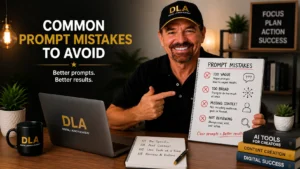
Common Prompt Mistakes to Avoid
The biggest mistake is asking AI to create a whole business for you in one request. That can feel tempting, especially when you are short on time. But the result is usually too broad and hard to use.
Instead, give AI one small job at a time. Ask for product ideas first. Then ask for a page plan. Then ask for text for one page. This keeps you in control and makes it easier to spot mistakes.
Also, do not copy every AI response without checking it. Read every checklist item, instruction, and fact. If you create health, legal, financial, or safety-related products, be extra careful. These topics can require professional advice, so a simple organization tool is safer than making claims or giving expert guidance.
Finally, remember that AI is a helper, not your replacement. Your own experience matters. A moving checklist from someone who has moved several times can include thoughtful details AI may miss. Add the small tips that make your product feel human and helpful.
Start With One Prompt, Not a Perfect Plan
You do not need to learn every AI feature before creating your first digital product. One clear prompt can give you a product idea. The next prompt can give you a page plan. Then Canva helps you turn that plan into something real.
Now that you’ve learned the basics of using AI prompts for digital products, keep building your skills. The more specific your prompts become, the more helpful your results will be. With practice, you’ll spend less time wondering what to create and more time finishing products you can confidently share and sell.
At Digital Launch Academy, we believe confidence grows after you take a small action, not before. Open your AI tool, use one prompt from this article, and save the result. Your first draft may be simple, but it is a real step toward a product you can finish and share.
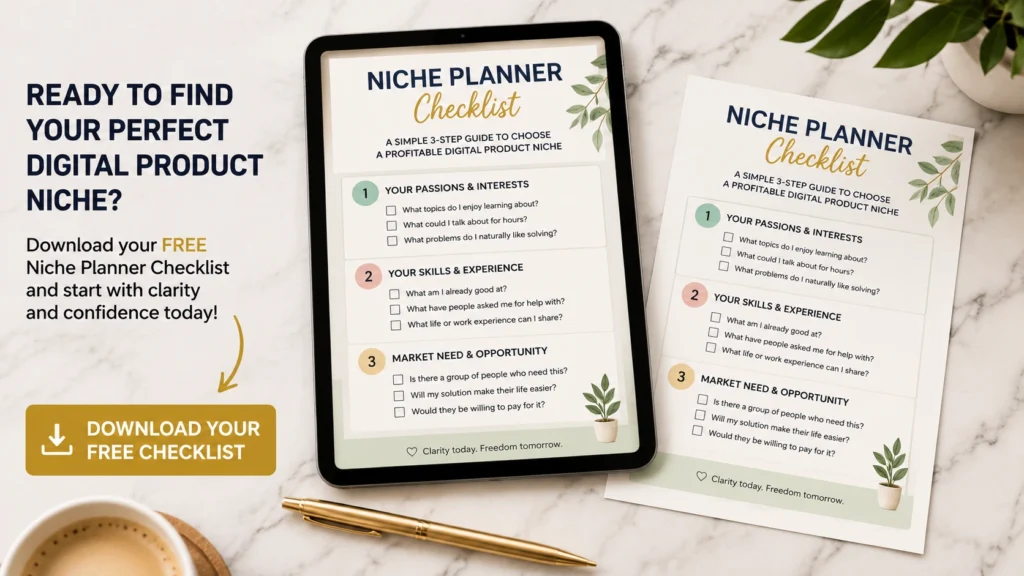
Don’t Know What to Create?
Most beginners don’t fail because they lack talent.
They fail because they’re overwhelmed by too many ideas.
Download the Free Niche Planner Checklist and discover a digital product idea you can actually build.
