Creating digital product files is easy. The problem usually comes later, when you have PDFs, Canva designs, images, worksheets, sales graphics, and different versions saved in several places on your computer.

Learning how to organize digital product files does not require a complicated filing system. You simply need one place for your business files, a few clearly named folders, and a consistent way to name what you save.
A simple system can save time, reduce confusion, and make it much easier to find the file you need. You can start with the files you already have and improve the system as your business grows.
Why Digital Product File Organization Matters
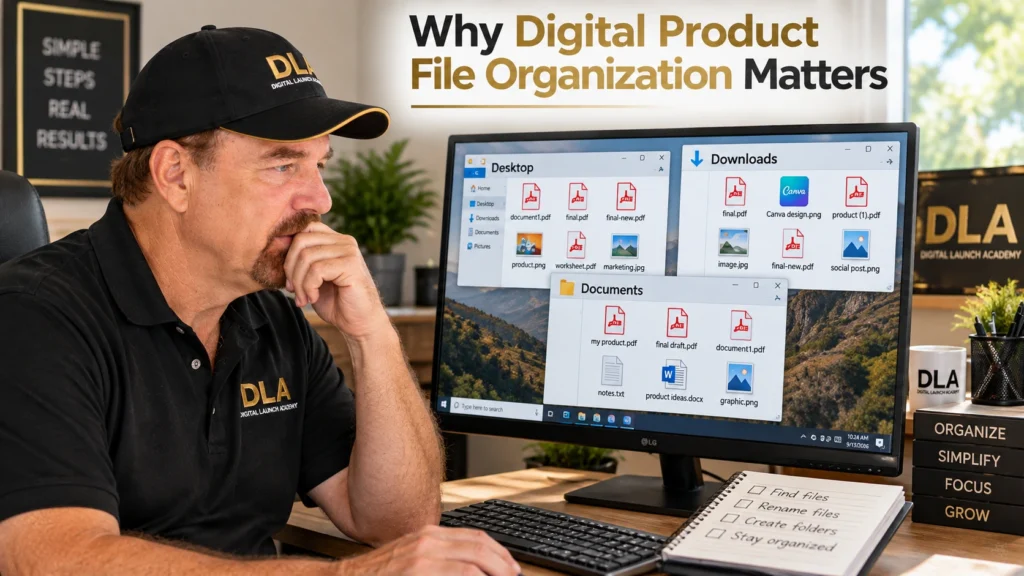
When you first start a digital product business, you may not have many files. Saving something to your Desktop or Downloads folder may seem good enough.
But those files can add up quickly.
For example, imagine that you create a workbook in Canva. You may have the original Canva design, several downloaded PDFs, a cover image, product mockups, social media graphics, and other marketing materials.
Without a simple organization system, some files may end up in Downloads, others on your Desktop, and others in Documents. A few months later, you may remember creating a file but have no idea where you saved it.
Poor file names can make the problem worse. Names such as document1.pdf, final.pdf, and final-new.pdf do not tell you much when you return to them later.
This is why file organization is an important part of simple business systems and automation. You are creating a repeatable way to know where your work belongs.
You do not need dozens of folders. The goal is much simpler: when you save something, you should know where it goes. When you need it again, you should know where to look.
Your Action: Look at where you currently save your digital product files. Are they mostly in one place, or are they scattered across your Desktop, Downloads, Documents, and other locations?
Once you know where your files are going now, you can give them one main home.
Start With One Main Folder for Your Digital Product Business
The easiest place to begin is with one main folder for your business.
Give the folder a name that you will immediately recognize. For example, my main folder could simply be:
You could use your business name. If you do not have a business name yet, something simple such as My Digital Product Business will work.
The important part is not the name. The important part is having one main place where your business files belong.
This gives you a starting point when you need to find something. Instead of searching your entire computer, you can begin with your business folder.
This is one small way to organize your online business without making the process more complicated than it needs to be.
You do not need to decide right now whether everything should eventually be stored on your computer or in cloud storage. Start by understanding the basic system. You can make other decisions later.
Your Action: Create one main folder for your business and give it a clear, recognizable name.
Now you have a home for your business files. The next step is creating a few simple folders inside it.
Create a Simple Digital Product Folder System
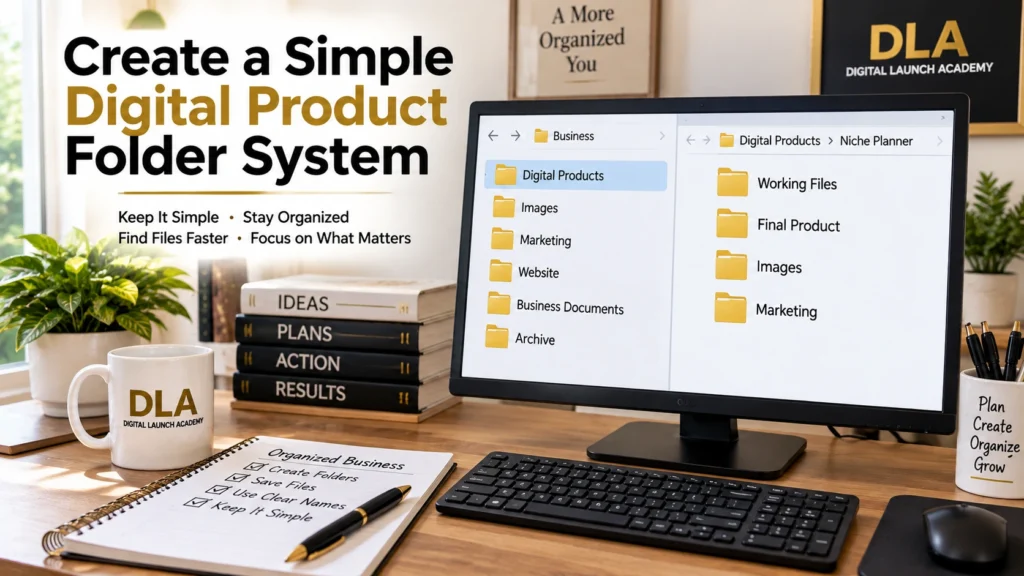
A good folder system should make things easier to find, not give you more things to manage.
Inside your main business folder, you might start with:
Digital ProductsImagesMarketingWebsiteBusiness DocumentsArchive
Each folder has a simple purpose.
Digital Products holds the products you are creating and selling.
Images can hold general business images that are not connected to only one product.
Marketing can hold promotional materials, social media content, and other marketing files.
Website can hold files you use for your website.
Business Documents can hold documents related to running your business.
Archive gives you somewhere to put older files that you want to keep but no longer use regularly.
You can also create a separate folder for each digital product.
For example:
Digital Products > Niche Planner
Inside the Niche Planner folder, you might create:
Working FilesFinal ProductImagesMarketing
Now everything connected to that product can stay together.
The important thing is to resist the temptation to create every folder you might possibly need someday. If you do not need a folder yet, you do not have to create it.
Start small. Add another folder when you have a real reason for it.
Your Action: Create the basic folders you need today. Do not add extra folders just because you think you might need them in the future.
Once your folders make sense, the next job is making sure the names of the individual files make sense too.
How to Organize Digital Product Files With Simple File Names
One of the easiest ways to improve your digital product file organization is to give your files names you can understand later.
Consider these file names:
final.pdf
final2.pdf
newfinal.pdf
You might understand those names today because you just created the files. Three months from now, it may be difficult to remember which one is actually the finished product.
A clearer system might look like this:
niche-planner-working.pdf
niche-planner-final.pdf
You can immediately see what the product is and whether the file is a working or finished version.
Try to include enough information in a file name to identify what the file contains. You do not need to create long or complicated names.
Consistency also helps. If you decide to use a certain naming pattern, try to use that same basic pattern for your other products.
Version numbers can be useful when you genuinely have different versions, but do not add them to every file just because you can. The goal is clarity.
Your file-naming system does not have to be perfect. It needs to make sense to you when you return to the file later.
Your Action: Find three files with confusing names and rename them using simple words that tell you what each file contains.
Clear file names solve part of the problem. The next step is making sure unfinished files do not get confused with the files that are ready for customers.

Keep Working Files Separate From Finished Digital Products
Working files and finished files serve different purposes.
A working file is something you are still editing. A finished file is ready to upload, publish, or deliver to a customer.
For example, you might create a workbook in Canva and continue making changes to the original design. You may also download a finished PDF that customers will receive.
Those two files should be easy to distinguish.
One simple solution is to use separate folders:
Working Files
Final Product
Your editable designs and drafts go into Working Files. The customer-ready version goes into Final Product.
This can prevent a common problem: accidentally uploading or sending the wrong version.
It also prevents you from creating a confusing collection of files called final, final2, final-new, and final-really-final.
Separating working and finished files is a small system that can make repetitive business tasks easier as you create more products.
You will know where to put your work while you are creating it and where to look when you need the completed version.
Your Action: Choose one digital product and separate its working files from its finished files.
Your basic organization system is now in place. The final step is keeping it that way.
Use a Simple Weekly File Organization Routine
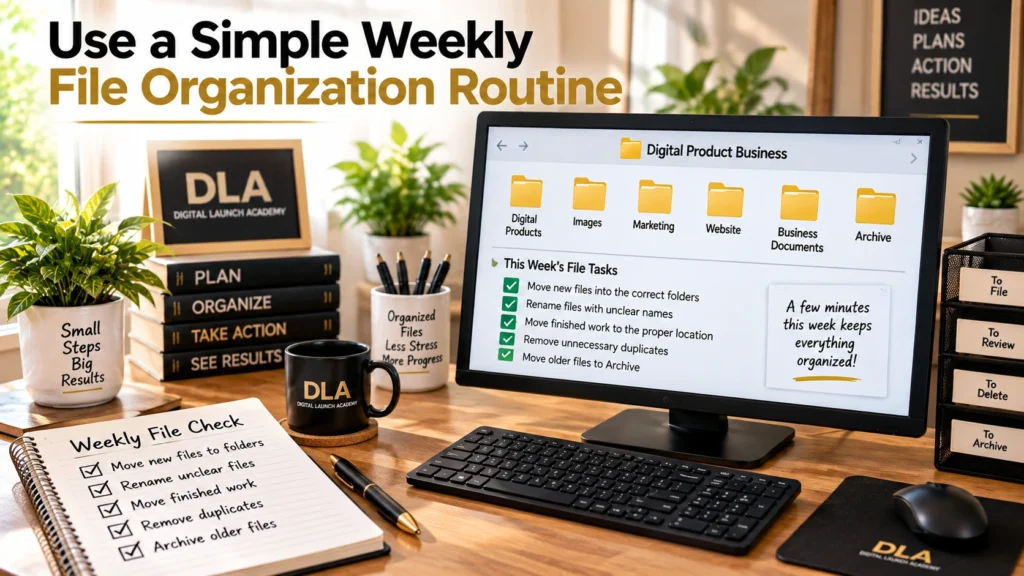
You do not need to spend hours organizing files every week.
A short routine can be enough.
Once a week, take a few minutes to look at the files you recently created or downloaded. Check for files that are sitting in the wrong place or have names you will not recognize later.
You can:
- Move new files into the correct folders.
- Rename files with unclear names.
- Move completed products into their proper location.
- Remove obvious unnecessary duplicates when appropriate.
- Move older files you want to keep into your Archive folder.
This small file check can become part of your regular weekly workflow.
The purpose is not to reorganize your entire computer every week. You are simply keeping the system you already created from becoming cluttered again.
Five or ten minutes of simple maintenance can be easier than trying to sort through months of disorganized files later.
Your Action: Add a short file check to your regular weekly business routine.
A simple system that you actually maintain will usually be more useful than a complicated system that you stop using.
Frequently Asked Questions About How to Organizing Digital Product Files
How many folders should I create for my digital product business?
Start with only the folders you need now.
A small number of clearly named folders is easier for a beginner to understand and maintain. You can always add another folder when your business grows and you have a clear reason for it.
Should I keep digital product files on my computer or in cloud storage?
Either can be part of your system.
Files stored on your computer are saved locally on that computer. Cloud storage keeps files on an online service and can make them accessible from other devices.
You do not need to make your organization system complicated by solving everything at once. First create a clear folder structure. Then decide which storage method makes the most sense for you.
What should I do with old versions of my digital products?
If an old version may still be useful, move it to an Archive folder rather than mixing it with the current product.
That allows you to keep the older version without confusing it with the version you currently sell or use.
How often should I organize my business files?
A short weekly check is a good starting point.
The goal is not to spend a lot of time organizing. The goal is to prevent small amounts of clutter from turning into a much larger job.
Conclusion
Good digital product file organization does not have to be complicated.
Start with one main business folder. Add a few clearly named subfolders. Give individual files names that tell you what they contain. Keep working files separate from finished products. Then spend a few minutes each week maintaining the system.
You do not need to organize every file on your computer today.
Start with the digital product files you are using now. Build a simple system that makes sense to you, and improve it when you have a real reason to do so.
The goal is not perfect organization. The goal is being able to find what you need and continue working without unnecessary confusion.

Don’t Know What to Create?
Most beginners don’t fail because they lack talent.
They fail because they’re overwhelmed by too many ideas.
Download the Free Niche Planner Checklist and discover a digital product idea you can actually build.
