YouTube can seem complicated when you are just getting started. You may think you need expensive equipment, professional editing skills, thousands of subscribers, or perfectly polished videos. But you can market digital products on YouTube much more simply. Start by creating useful videos that answer questions and solve small problems for the same people your digital product is designed to help.
You do not need to become a YouTube expert before you begin. You need one useful topic, a simple video, and a clear idea of who you want to help.
Why YouTube Can Help You Market Digital Products
YouTube gives you a way to teach potential customers before asking them to buy anything.
Someone may discover one of your videos because they have a problem or question. If your video gives them a useful answer, they get a chance to learn from you and understand how you can help.
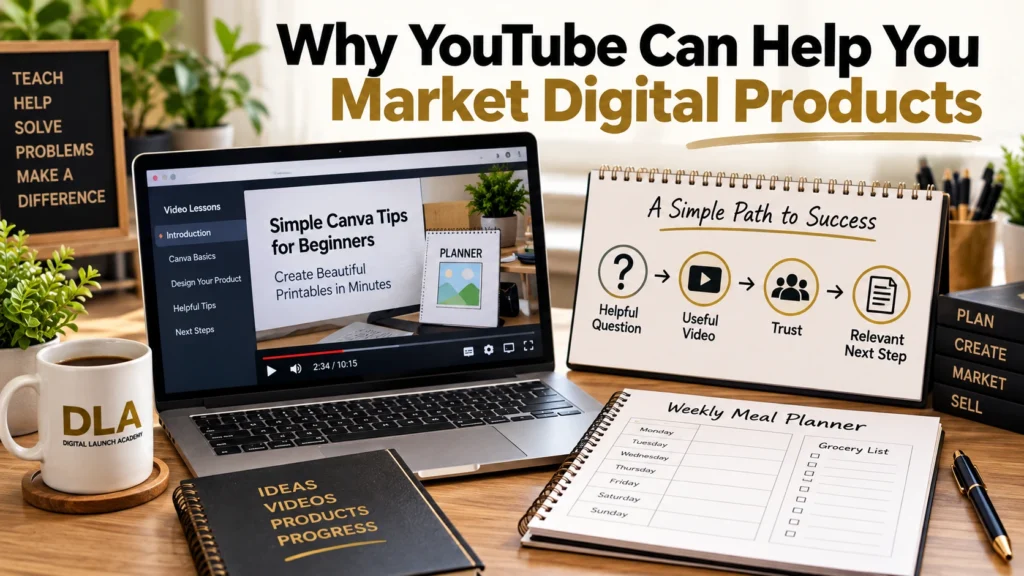
That creates a simple path:
Helpful question → Useful video → Trust → Relevant next step
This is one reason YouTube marketing for digital products can work well with educational products such as printables, planners, templates, ebooks, checklists, and courses.
The goal is not to make every viewer buy something immediately. Your first goal is to create useful content for the same type of person your product helps.
For example, imagine that you sell a beginner meal-planning printable. You could create a video showing someone how to plan five simple dinners for the week.
The video teaches something useful by itself. Your meal planner simply helps the viewer organize and use what you taught.
That is a much simpler approach to digital product marketing than treating every video like an advertisement.
Over time, useful videos can also become another source of YouTube traffic for digital products. People who find your teaching helpful can learn more about you and the products you offer.
Your Action
Write down the main problem your digital product helps solve in one sentence.
Once you know the problem, you can start thinking about the questions people have about solving it.
Choose YouTube Video Topics Your Customers Actually Need

You do not need to sit down and think of 50 clever video ideas.
Start with your customer.
Ask yourself what questions a complete beginner might have before or while trying to solve the problem your product addresses.
Good YouTube video ideas for beginners can come from:
- Questions people commonly ask.
- Problems they struggle with.
- Steps they do not understand.
- Mistakes they want to avoid.
- Small results they want to achieve.
Suppose you sell a printable budget planner. Your potential customer might ask:
- How do I make a simple monthly budget?
- What expenses should I include in my budget?
- How do I keep track of bills each month?
Those are three potential videos.
Notice that none of the ideas starts with, “How can I sell my budget planner?”
They start with the customer’s problem.
This same approach can help you find your first customers because you are thinking about what they need instead of simply thinking about what you want to sell.
Your digital product can become a natural next step when it helps the viewer put your teaching into practice.
Your Action
Write down three questions your ideal customer might ask about the problem your product solves.
Now choose one of those questions. That is enough to start planning your first useful video.
Create Simple YouTube Videos Without Overcomplicating Them
One of the biggest mistakes a beginner can make is turning a simple video into a major production.
You do not need an elaborate studio or advanced editing to begin learning YouTube marketing for beginners. Your video needs to be understandable and useful.
A simple educational video can follow three steps.
Explain the Problem
Start by telling viewers what you are going to help them accomplish.
Keep this clear. Someone should quickly understand why the video matters to them.
For example:
“Today I’m going to show you a simple way to organize your weekly meal plan.”
The viewer knows what they are about to learn.
Teach the Steps
Walk through the solution one manageable step at a time.
Do not assume your viewer already understands the process. If your audience consists of beginners, teach like you are helping someone who is doing this for the first time.
This is especially important when making YouTube videos for digital products. Your teaching should be valuable even if the viewer never purchases the product.
For example, a video about creating a weekly planner could show viewers how to choose the sections, organize the page, and decide what information belongs on it.
Give the Viewer One Next Action
Finish the teaching by giving the viewer something simple to do.
You do not need to give them ten assignments. Give them one manageable next step that helps them use what they just learned.
This also makes your video easier to plan because you know exactly where you want the lesson to lead.
Your Action
Choose one of the three questions you wrote down and list the three main points you would explain in the video.
Once your video teaches something useful, you can think about how your product fits naturally with the lesson.
How to Market Digital Products on YouTube Without Making Every Video a Sales Pitch
If every video feels like an advertisement, people have less reason to keep watching.
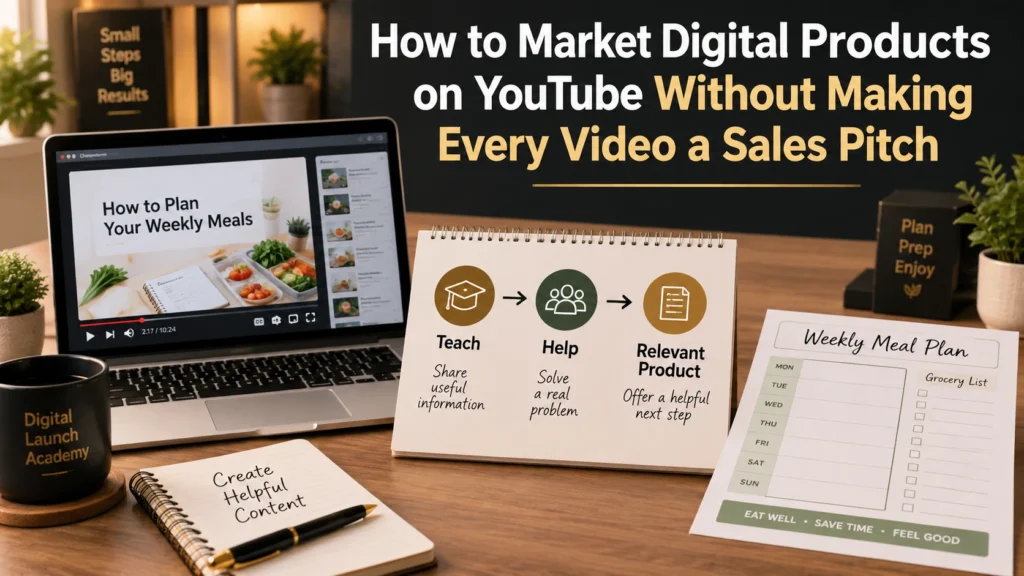
A better approach is:
Teach → Help → Relevant product connection
Teach something the viewer genuinely needs. Help them understand what to do. Then, when it makes sense, explain how your product can help them take the next step.
This lets you promote digital products on YouTube without making the entire video about the product.
Suppose you teach viewers how to organize their weekly meals. At the end of that lesson, you could explain that your meal-planning printable gives them a ready-made place to organize the meals they just planned.
The product matches the lesson.
That is very different from mentioning an unrelated product simply because you want to make a sale.
If you want to promote your digital product, ask yourself one question:
“Does this product genuinely help the viewer continue what I just taught?”
If the answer is yes, the connection makes sense.
This approach can also help someone market a digital product without paid ads because the video itself provides useful information that can introduce people to the business.
Learning to sell digital products with YouTube does not mean turning every video into a sales presentation. The teaching should come first.
Your Action
Finish this sentence:
“My product helps someone take the next step by __________.”
Once you understand that connection, you can start creating a small group of related videos instead of planning each one from scratch.
Build a Simple YouTube Content Strategy You Can Actually Follow

A YouTube content strategy does not have to be complicated.
For a beginner, it can simply mean deciding what kinds of helpful videos you will make around the main problem your audience wants to solve.
You might create videos around a few repeating topic types:
- How-to videos.
- Common mistakes.
- Beginner questions.
- Simple demonstrations.
- Step-by-step tutorials.
For example, if you teach beginners how to create printables, your first four videos could answer four basic questions people have about creating their first printable.
You do not need to plan an entire year of videos.
Start with four.
This makes a YouTube marketing strategy for beginners much easier to manage. You can learn from those first videos before deciding what to make next.
The same principle applies when you promote an online business on YouTube. You do not have to talk about everything your business does. Focus on useful subjects that are closely connected to the people you want to help.
This is also an important part of digital product marketing for beginners: trying to use every possible marketing platform at once can quickly become overwhelming.
It can be more manageable to choose one traffic source, learn how it works, and give yourself enough time to become comfortable with it.
Consistency does not mean you have to publish videos at a pace that leaves you exhausted.
Choose a schedule you can realistically maintain.
Your Action
Choose four beginner questions or problems that could become your first four YouTube videos.
You now have the beginning of a simple, repeatable content plan. The next step is to learn from what happens after you publish.
Learn From Your YouTube Videos and Improve One Step at a Time
Your first few videos are not a final test of whether YouTube will work for your business.
They are also a chance to learn.
Instead of looking only at sales or hoping for a large number of views, pay attention to simple signals.
Notice:
- Which topics attract more interest.
- Which questions viewers respond to.
- Which videos seem to hold attention better.
- Which topics could lead naturally to another useful video.
You do not need to become an analytics expert.
The important question is: What can this video teach me about what my audience needs?
Suppose one of your beginner tutorials receives noticeably more interest than your other videos. That can give you an idea for the next video.
You might answer another question about the same subject or explain the next step in the process.
This information can even help when you create a digital product, because repeated questions and problems can show you what your audience needs help with.
Your early videos do not need to be perfect. Each video gives you an opportunity to improve your teaching, your topics, and your understanding of your audience.
Your Action
After publishing a video, choose one thing to learn from it before making the next one.
Small improvements repeated over time are easier to manage than trying to make every part of your YouTube strategy perfect from the beginning.
Frequently Asked Questions About Marketing Digital Products on YouTube
Do I need a lot of YouTube subscribers to market a digital product?
You do not need to make subscriber count your first goal.
Start by creating useful videos for the right audience. A smaller group of people who genuinely need the information you teach can be more relevant to your business than focusing only on reaching a large number of viewers.
Do I need expensive equipment to start making YouTube videos?
You do not need to begin with an expensive production setup.
Focus first on whether viewers can clearly understand your lesson. As you gain experience, you can decide whether better equipment or additional production tools would actually improve your videos.
What kinds of YouTube videos work for digital products?
Start with educational videos connected to the problem your product solves.
Tutorials, demonstrations, answers to beginner questions, problem-solving videos, and step-by-step lessons are all useful starting points.
The connection between the video and the product should be easy for the viewer to understand.
How often should a beginner post on YouTube?
Choose a schedule you can realistically maintain.
Publishing frequently for a short period and then becoming overwhelmed is not the goal. A manageable schedule gives you time to create useful videos, learn from them, and continue improving.
Can I use YouTube even if I am uncomfortable being on camera?
Yes. Depending on what you teach, useful educational videos can be presented in different ways.
For example, some subjects can be taught by showing your computer screen, demonstrating a process, showing a product, or using other visuals while you explain the lesson.
Choose a format that fits what you are teaching and that you can realistically continue using.
Start With One Helpful YouTube Video
You do not need to master YouTube before you begin.
You also do not need dozens of videos ready to publish.
The basic process is:
Choose one customer problem → Answer one question → Make one helpful video → Connect it naturally to the product → Learn → Repeat
That is enough to get started.
As you create more videos, you can learn what your audience responds to and gradually improve your approach. Focus on progress rather than trying to make your first video perfect.
Your Action
Choose the first customer question you will turn into a YouTube video and write down the three things you will teach.
Don’t Know What to Create?
Most beginners don’t fail because they lack talent.
They fail because they’re overwhelmed by too many ideas.
Download the Free Niche Planner Checklist and discover a digital product idea you can actually build.
