
A profitable digital product idea does not need to be fancy to make money. A simple meal planner for busy families, a medication tracker for seniors, or a cleaning checklist for new homeowners can be useful because it solves one small, real problem. The goal is not to guess what everyone wants. It is to pick a profitable product idea that helps a specific person get an easier result.
If you have been staring at a blank Canva page and worrying about choosing the wrong idea, take a breath. You do not need design skills, business experience, or a huge social media following. You need a clear problem, a helpful solution, and a product simple enough for you to finish.
A Profitable Digital Product Idea Doesn’t Have to Mean Complicated
A profitable digital product is something people are willing to pay for because it saves them time, reduces stress, helps them stay organized, or helps them reach a goal. It can be a printable planner, a checklist, a tracker, a template, or a short guide.
For beginners, simple is often better. A 10-page pet-sitting planner that answers a pet owner’s everyday needs can be easier to create and sell than a 100-page general life planner. Small products are also less overwhelming for the buyer. They can see exactly how they will use them.
Do not wait for a completely original idea. Most successful digital products are familiar tools made for a clearer group of people. A budget sheet becomes more useful when it is made for college students, single parents, or people planning a wedding.
Your action: Write down one task that you or someone you know repeats every week. That task may lead to your first product idea.
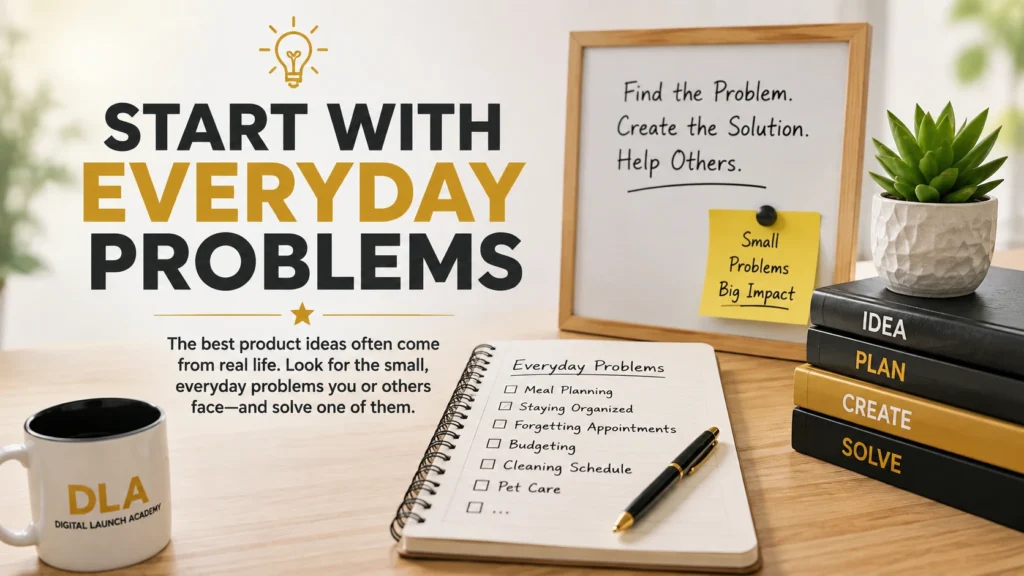
Step 1: Start With Everyday Problems
The best ideas are often hiding in normal life. Think about moments when someone says, I need to get organized, I keep forgetting this, or I wish I had a simple plan.
Choose an area you understand from your own experience. You do not have to be an expert. You only need to understand the small problem well enough to make a helpful tool.
Here are a few places to look for ideas:
- Home life: meal planning, cleaning routines, moving checklists, family schedules
- Money: savings trackers, bill payment calendars, debt payoff sheets
- Hobbies: gardening logs, reading journals, craft project planners
- Work and side hustles: client checklists, content calendars, order trackers
- Life changes: retirement planners, new baby checklists, caregiver logs
- Wellness routines: water trackers, walking logs, appointment planners
Try to avoid broad ideas at first. A planner for everyone is hard to explain. A weekly dinner planner for picky eaters is clearer. A budget tracker for retirees on a fixed income is clearer. Specific products help buyers quickly recognize that the product was made for them.
Your action: Pick one category from the list. Write down three small problems a person in that category might have.
Step 2: Name the Person You Want to Help
Before you create anything, finish this sentence: This product helps ________ do ________.
For example, this product helps busy grandparents keep track of school pickups and activities. Or, this product helps first-time gardeners plan what to plant each month.
This simple sentence keeps your idea focused. It also makes writing your product title and description much easier later.
A good beginner product usually helps one person do one job. It does not need to solve their entire life. A dog owner may not need a complete pet-care system. They may simply want a printable page to record vet visits, medications, and grooming dates.
Be careful not to choose a buyer group only because it sounds popular. Choose a group whose needs you can understand. If you have cared for an aging parent, you may have useful insight into caregiver organization. If you have planned family meals for years, you know what makes a meal planner practical.
Your action: Write your own sentence: This product helps ________ do ________. Keep it simple and specific.
Step 3: Check Whether People Want It
You do not need to pay for research tools. You can do a simple demand check in about 20 minutes.
First, type words related to your idea into the search bar on a digital product marketplace. For example, type gardening planner, caregiver checklist, or weekly meal planner. Look at the suggestions that appear as you type. Those suggestions can show common words people search for.
Next, look at products already listed. You are not copying them. You are learning what buyers seem to want. Notice the product type, the pages included, the titles, and the problems each item promises to solve.
Then read a few customer reviews, especially reviews with three or four stars. These can reveal what buyers wanted but did not get. Perhaps they wanted larger print, a simpler layout, extra pages, or a version made for a certain situation. That gap could help you make a more useful product.
There is one important truth here: seeing similar products is usually good news. It means people understand the product and may already be searching for it. No similar products could mean you found an untouched opportunity, but it could also mean there is little interest. For a first product, it is usually safer to create something people already buy and make it clearer, simpler, or more specific.
Your action: Search your idea phrase. Write down two common features and one thing buyers may still need.
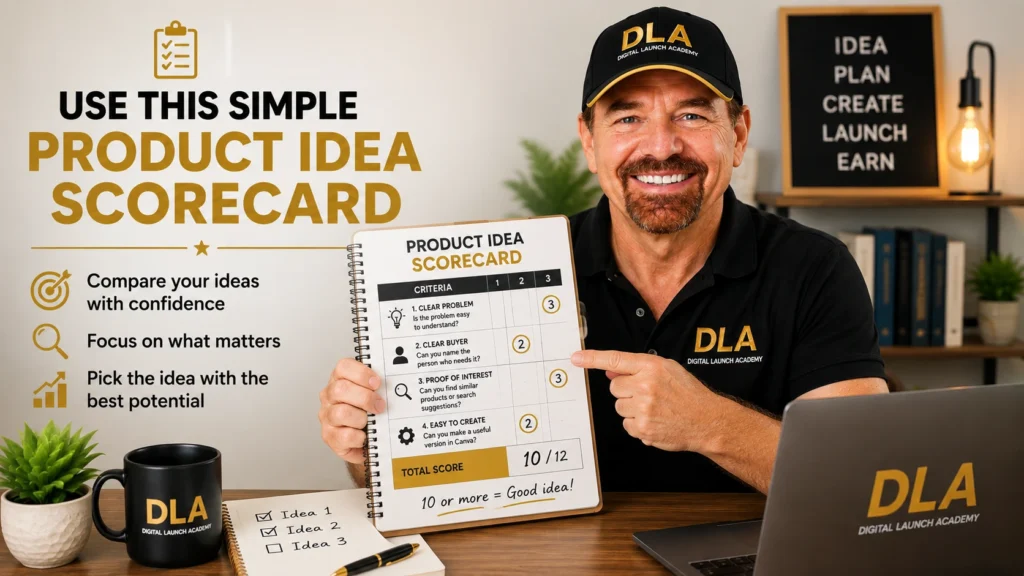
Step 4: Use This Simple Product Idea Scorecard
When you have several ideas, do not rely only on excitement. Give each idea a score from 1 to 3 in these four areas:
- Clear problem: Is the problem easy to understand?
- Clear buyer: Can you name the person who needs it?
- Proof of interest: Can you find similar products or search suggestions?
- Easy to create: Can you make a useful first version in Canva without getting stuck?
An idea with a score of 10 or more is a good one to consider. The score is not a promise of sales. It is simply a calm way to compare your choices instead of overthinking them.
For example, a daily medication tracker for caregivers may score high. The problem is clear. The buyer is clear. Similar products likely exist. And you can create it with a few organized pages in Canva. A complete course on medical caregiving may be helpful, but it is much harder to create accurately as a first product.
Your action: Score your top three ideas. Circle the idea with the best mix of usefulness and simplicity.
Step 5: Choose the Smallest Helpful Version
Many beginners make one mistake: they try to create everything at once. A better approach is to make the smallest product that still gives the buyer a win.
Let us say you want to help people organize a move. Your first product could be a moving checklist with a timeline, packing labels, and an address-change page. You do not need to create a giant moving binder with 50 pages on day one.
A small product has real advantages. You can finish it faster, learn Canva as you go, and get feedback before spending weeks on a bigger version. Later, you can add more pages, create matching products, or bundle several related items together.
Start with one format that fits the problem. A checklist works well for tasks. A tracker works well for habits or records. A template works well when a buyer needs a page they can reuse. A guide works well when they need short instructions.
Your action: Write down the first three to five pages your product needs. If your list feels too big, remove anything that is not essential.
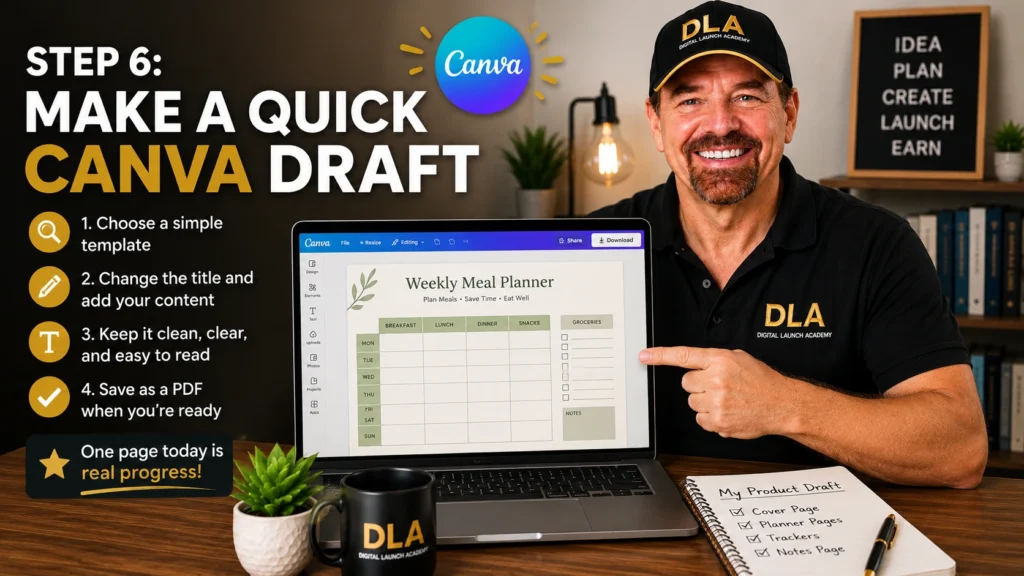
Step 6: Make a Quick Canva Draft
Now turn your idea into something real. Open Canva and search for a simple template related to your product type, such as planner, checklist, worksheet, or tracker. Choose a clean layout with easy-to-read text. You do not need to start from a blank page.
Change the title first. Then replace the sample text with helpful headings for your buyer. Keep the colors simple. Use large, readable fonts. Leave space for writing if the product will be printed.
As you create, ask one question: Would a tired, busy person understand how to use this page in a few seconds? If the answer is no, simplify it. A useful digital product does not need lots of decorations. Clear sections and helpful wording matter more.
When your draft is finished, look at it as if you were the buyer. Check spelling, page order, and whether each page has a clear purpose. Save your file as a PDF when you are ready to share or sell it.
Digital Launch Academy teaches this kind of simple, step-by-step product creation because confidence grows when you finish small projects, not when you wait for perfection.
Your action: Create the cover page or first page of your chosen product today. One finished page is real progress.
When an Idea Is Not the Right First Choice
Some ideas are better saved for later. Be cautious with products that give medical, legal, financial, or mental health advice. These topics can be sensitive, and incorrect information can cause harm. A general appointment tracker is safer than a medical treatment guide. A household budget sheet is safer than investment advice.
Also pause if your idea requires many hours of research, advanced design, or information you cannot confidently explain. That does not mean the idea is bad. It may simply not be the best first product.
Your first goal is to learn the process: choose a clear need, make a helpful tool, and finish it. Once you have done that, your next product will feel much easier. Pick the idea you can helpfully create this week, then give yourself permission to begin.
Now that you have learned how to choose a profitable digital product idea, the next step is learning how to find and validate your idea before you spend time creating it.

Don’t Know What to Create?
Most beginners don’t fail because they lack talent.
They fail because they’re overwhelmed by too many ideas.
Download the Free Niche Planner Checklist and discover a digital product idea you can actually build.
