Learning how to use TikTok to sell digital products starts with one helpful product and a few simple videos. A short video can introduce your planner, checklist, or template to someone who has never heard of you. You do not need to dance or become famous. Show a small problem, offer a useful tip, and make it easy for interested people to learn about your product.
Start with a small product that helps someone save time, get organized, or complete one task. A weekly meal planner, budget tracker, moving checklist, or cleaning schedule can be easier to explain in a short video than a large course.
The best digital product ideas solve a problem you understand. If you have planned family meals, managed a budget, or organized a move, you may already have useful experience to share.
Before you make the product, finish this sentence:
“I help [a type of person] do [one task] with a [product type].”
For example: “I help busy parents plan dinners with a weekly meal planner.” That sentence gives your product and your TikTok videos a clear focus.
Your action: Choose one small problem and one product you could make to help solve it.
Step 2: Make the Product Easy to Understand
A customer should be able to tell what your product is, who it helps, and what they will receive.
You can create your product in Canva with a simple layout. Use readable text and clear instructions. If you make a checklist, make the boxes easy to use. If you make a tracker, label the columns clearly. Save it in a format that works for the buyer, such as a PDF for a printable.
Your product page needs three basic things:
A clear product name.
A short description of who it helps and what is included.
Preview images that show what the buyer will receive.
For example: “This printable monthly budget tracker helps beginners record their income, bills, savings, and spending.”
Choose a place to sell your product that can take payment and deliver the file. Add your product details, then test the buying and download steps yourself before you share the page.
Your action: Finish one product listing and test that the file can be downloaded.
Step 3: Set Up a TikTok Profile for Your Business
Your profile should help a new visitor understand your topic quickly. Use a clear photo of yourself, a simple logo, or an image related to your product.
Write a short bio that says whom you help. For example:
“Simple budget tools for beginners.”
“Printable meal-planning help for busy families.”
Use an account name that is easy to read and remember. Keep your profile focused on the same problem your product solves.
Check whether your account lets you add a website link to your profile. TikTok says Business Accounts can add a website link. Personal Accounts generally need at least 1,000 followers for that feature. If you cannot add a link yet, you can still make helpful videos and prepare your product page while you build your account.
Your action: Update your profile photo, bio, and account name. Then check whether you can add your product page link.
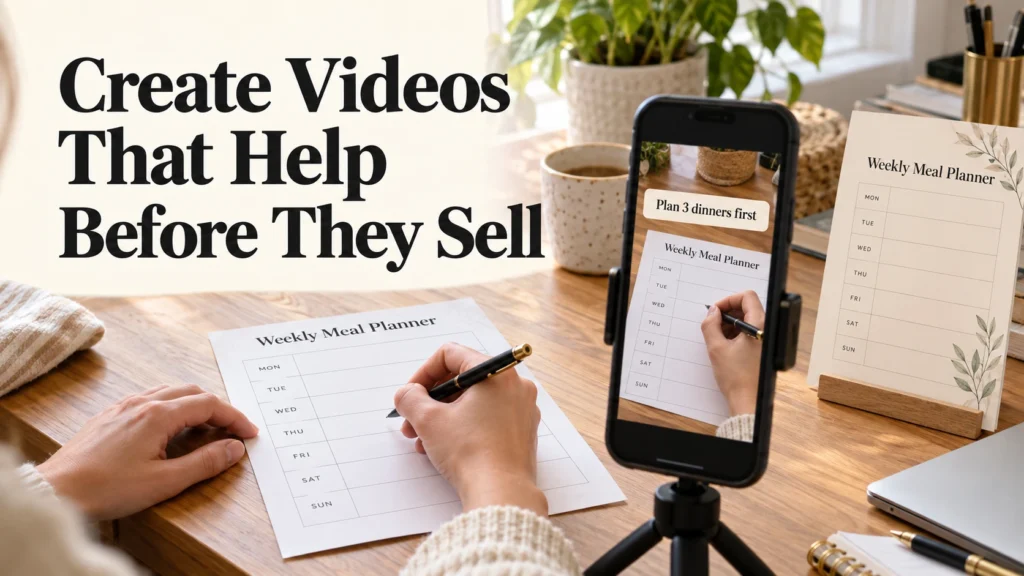
Step 4: Create Videos That Help Before They Sell
Start with quick lessons instead of making every video a sales pitch. Show one small problem, give a useful tip, and show where your product fits.
You could talk to the camera, film your hands using a printable, record your screen, or make a simple slideshow. Choose a style you feel comfortable repeating.
Try this four-part plan for a video:
Name a problem. “Do you keep forgetting what you need at the grocery store?”
Give one tip. “Plan three dinners before you make your list.”
Show your product. Briefly show the meal-planning page that helps with this task.
Give one next step. If your profile has a product link, tell viewers where to find it.
Make your first videos as short as the lesson needs them to be. Put the main idea on the screen, speak clearly if you use your voice, and make sure the product is easy to see.
If a video promotes your product, use TikTok’s commercial-content disclosure setting when you post it. This applies when you promote your own business, too.
Your action: Write down five small questions your customer might ask. Pick one and make a video that answers it.
Step 5: Post on a Schedule You Can Keep
You do not need to post all day. Choose a schedule that fits your time. If three videos a week feels manageable, start there. If one video a week is realistic, start with one.
Try a few kinds of videos:
A helpful tip that solves a small problem.
A demonstration showing how to use your product.
An answer to a question someone might ask before buying.
A phone, a quiet place, and enough light to see your product are a good starting point. You can record more than one video in a session if that makes the week easier.
Notice which topics bring useful questions, comments, saves, or profile visits. Views alone do not tell you whether the right people are interested.
Your action: Choose the day you will make and post your next video.
Step 6: Make It Easy for People to Buy
When someone asks where to find your product, give a clear answer. If your profile has a link, you can say, “The product is linked in my profile.” Keep the invitation friendly.
The first thing a visitor sees on your product page should explain the product and what it helps them do. Show a preview and make the buying and download steps clear.
Use similar words in your video and on your product page. If your video calls it a “weekly meal planner,” visitors should see that name when they reach the page.
You may not make a sale right away. A question from a viewer can still teach you what needs a clearer explanation or what topic to cover next.
Your action: Open your product page as if you were a new customer. Check that you can understand the offer and complete the purchase steps.
Step 7: Repeat What Your Audience Responds To
After you have posted for a while, look for patterns. Which questions do people ask? Which videos lead people to visit your profile? Which product demonstrations seem easiest for viewers to understand?
If people respond to videos about planning meals on busy nights, make another video that answers a related question. You do not have to invent a completely new topic every time.
Later, you may decide to create a related product, such as a grocery list to go with a meal planner. Start by learning from the response to your first product.
Your first videos are practice. Choose one useful problem, show one helpful step, and keep improving as you learn what your audience needs.
Your action: Review your videos and choose one question or topic to explain more clearly in your next post.
Frequently Asked Questions About How to Use TikTok to Sell Digital Products
Can beginners sell digital products on TikTok?
Yes. You can start with one simple product, such as a planner, checklist, or template. Make videos that help the people who might need it, and give interested viewers a clear way to learn about the product.
Do I have to show my face in TikTok videos?
No. You can film your hands using a printable, record your screen, or make a slideshow that shows how your product works. Choose a format you feel comfortable making regularly.
What kind of TikTok videos help sell digital products?
Start with videos that answer a customer question or demonstrate one small task. For example, show how to plan three dinners, then briefly show how your meal planner helps someone finish the plan.
Do I need a website link in my TikTok profile to start?
You can begin making helpful videos before you have a profile link. Check the link options available to your account and prepare your product page so it is ready when you can add it.
How long does it take to make a sale on TikTok?
There is no set timeline. A video may get views without bringing buyers, especially when you are new. Watch for questions and profile visits, make it easy to understand your product, and improve your videos based on what people respond to.
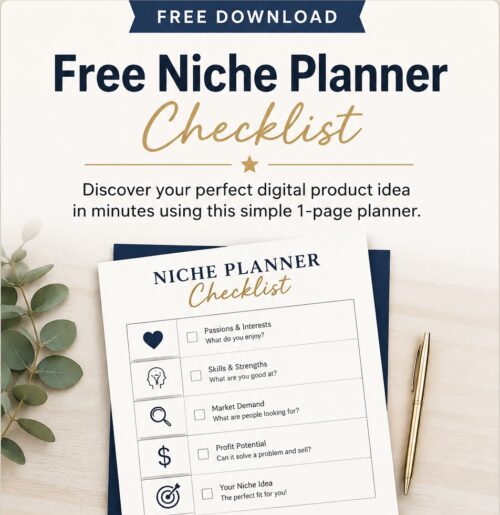
Don’t Know What to Create?
Most beginners don’t fail because they lack talent. They fail because they’re overwhelmed by too many ideas. Download the Free Niche Planner Checklist and discover a digital product idea you can actually build.